APIs
rerun.blueprint
BlueprintLike
module-attribute
A type that can be converted to a blueprint.
These types all implement a to_blueprint() method that wraps them in the necessary
helper classes.
BlueprintPart
module-attribute
BlueprintPart = (
    ContainerLike
    | TopPanel
    | BlueprintPanel
    | SelectionPanel
    | TimePanel
)
The types that make up a blueprint.
ContainerLike
module-attribute
A type that can be converted to a container.
These types all implement a to_container() method that wraps them in the necessary
helper classes.
PanelStateLike
module-attribute
PanelStateLike = (
    PanelState
    | Literal[
        "Collapsed",
        "Expanded",
        "Hidden",
        "collapsed",
        "expanded",
        "hidden",
    ]
    | int
)
A type alias for any PanelState-like object.
ActiveVisualizers
Bases: Archetype
Archetype: Override the visualizers for an entity.
This archetype is a stop-gap mechanism based on the current implementation details of the visualizer system. It is not intended to be a long-term solution, but provides enough utility to be useful in the short term.
This can only be used as part of blueprints. It will have no effect if used in a regular entity.
⚠️ This type is unstable and may change significantly in a way that the data won't be backwards compatible.
__init__
def __init__(instruction_ids: UuidArrayLike) -> None
Create a new instance of the ActiveVisualizers archetype.
| PARAMETER | DESCRIPTION |
|---|---|
instruction_ids
|
Id's of the visualizers that should be active.
TYPE:
|
from_fields
classmethod
def from_fields(
    *,
    clear_unset: bool = False,
    instruction_ids: UuidArrayLike | None = None,
) -> ActiveVisualizers
Update only some specific fields of a ActiveVisualizers.
| PARAMETER | DESCRIPTION |
|---|---|
clear_unset
|
If true, all unspecified fields will be explicitly cleared.
TYPE:
|
instruction_ids
|
Id's of the visualizers that should be active.
TYPE:
|
AudioPlayback
Bases: Archetype
Archetype: Playback settings for an audio view.
⚠️ This type is unstable and may change significantly in a way that the data won't be backwards compatible.
__init__
def __init__(*, volume: Float32Like | None = None) -> None
Create a new instance of the AudioPlayback archetype.
| PARAMETER | DESCRIPTION |
|---|---|
volume
|
Playback volume, from 0.0 (silent) to 1.0 (full). Defaults to 1.0.
TYPE:
|
from_fields
classmethod
def from_fields(
    *,
    clear_unset: bool = False,
    volume: Float32Like | None = None,
) -> AudioPlayback
Update only some specific fields of a AudioPlayback.
| PARAMETER | DESCRIPTION |
|---|---|
clear_unset
|
If true, all unspecified fields will be explicitly cleared.
TYPE:
|
volume
|
Playback volume, from 0.0 (silent) to 1.0 (full). Defaults to 1.0.
TYPE:
|
AudioView
Bases: View
View: A view that shows the waveform of an archetypes.AssetAudio and plays it back.
Audio plays while time is playing on a temporal timeline, starting from the time the asset was logged.
⚠️ This type is unstable and may change significantly in a way that the data won't be backwards compatible.
Example
Use a blueprint to show and play an audio asset.:
import sys

import rerun as rr
import rerun.blueprint as rrb

if len(sys.argv) < 2:
    print(f"Usage: {sys.argv[0]} <path_to_audio.[aac|flac|m4a|mp3|ogg|wav]>")
    sys.exit(1)

rr.init("rerun_example_audio_view", spawn=True)

rr.set_time("time", duration=0.0)
rr.log("audio", rr.AssetAudio(path=sys.argv[1]))

blueprint = rrb.Blueprint(
    rrb.AudioView(
        origin="audio",
        name="Audio",
        playback=rrb.AudioPlayback(volume=0.8),
    ),
    collapse_panels=True,
)

rr.send_blueprint(blueprint)
__init__
def __init__(
    *,
    origin: EntityPathLike = "/",
    contents: ViewContentsLike = "$origin/**",
    name: Utf8Like | None = None,
    visible: BoolLike | None = None,
    titlebar: BoolLike | None = None,
    defaults: Iterable[
        AsComponents | Iterable[DescribedComponentBatch]
    ]
    | None = None,
    overrides: Mapping[
        EntityPathLike,
        VisualizerLike | Iterable[VisualizerLike],
    ]
    | None = None,
    playback: AudioPlayback | None = None,
) -> None
Construct a blueprint for a new AudioView view.
| PARAMETER | DESCRIPTION |
|---|---|
origin
|
The
TYPE:
|
contents
|
The contents of the view specified as a query expression. This is either a single expression, or a list of multiple expressions. See rerun.blueprint.archetypes.ViewContents.
TYPE:
|
name
|
The display name of the view.
TYPE:
|
visible
|
Whether this view is visible. Defaults to true if not specified.
TYPE:
|
titlebar
|
Whether this view shows its title bar. The title bar is always shown when the view shares a tab container with other views. Defaults to true if not specified.
TYPE:
|
defaults
|
List of archetypes or (described) component batches to add to the view. When an archetype in the view is missing a component included in this set, the value of default will be used instead of the normal fallback for the visualizer. Note that an archetype's required components typically don't have any effect.
It is recommended to use the archetype's
TYPE:
|
overrides
|
Dictionary of visualizer overrides to apply to the view. The key is the path to the entity where the override should be applied. The value is a list of visualizers which should be enabled for that entity, or a single visualizer. Each visualizer can be configured with arbitrary overrides and mappings. For any entity mentioned in this map, visualizers are no longer added automatically based on the entity's components. Important note: the path must be a fully qualified entity path starting at the root. The override paths
do not yet support
TYPE:
|
playback
|
Playback settings, such as volume and muting.
TYPE:
|
blueprint_path
def blueprint_path() -> str
The blueprint path where this view will be logged.
Note that although this is an EntityPath, is scoped to the blueprint tree and
not a part of the regular data hierarchy.
Background
Bases: BackgroundExt, Archetype
Archetype: Configuration for the background of a spatial view.
⚠️ This type is unstable and may change significantly in a way that the data won't be backwards compatible.
__init__
def __init__(
    color_or_kind: Rgba32Like
    | BackgroundKindLike
    | None = None,
    *,
    color: Rgba32Like | None = None,
    kind: BackgroundKindLike | None = None,
) -> None
Create a new instance of the Background archetype.
| PARAMETER | DESCRIPTION |
|---|---|
color_or_kind
|
Either a color for solid background color or kind of the background (see
TYPE:
|
kind
|
The type of the background. Defaults to BackgroundKind.GradientDark.
TYPE:
|
color
|
Color used for BackgroundKind.SolidColor. Defaults to White.
TYPE:
|
from_fields
classmethod
def from_fields(
    *,
    clear_unset: bool = False,
    kind: BackgroundKindLike | None = None,
    color: Rgba32Like | None = None,
) -> Background
Update only some specific fields of a Background.
| PARAMETER | DESCRIPTION |
|---|---|
clear_unset
|
If true, all unspecified fields will be explicitly cleared.
TYPE:
|
kind
|
The type of the background.
TYPE:
|
color
|
Color used for the solid background type.
TYPE:
|
BackgroundKind
Bases: Enum
Component: The type of the background in a view.
GradientBright
class-attribute
instance-attribute
GradientBright = 2
A bright gradient.
In 3D views it changes depending on the direction of the view.
GradientDark
class-attribute
instance-attribute
GradientDark = 1
A dark gradient.
In 3D views it changes depending on the direction of the view.
SolidColor
class-attribute
instance-attribute
SolidColor = 3
Simple uniform color.
auto
classmethod
def auto(val: str | int | BackgroundKind) -> BackgroundKind
Best-effort converter, including a case-insensitive string matcher.
BarChartView
Bases: View
View: A bar chart view.
⚠️ This type is unstable and may change significantly in a way that the data won't be backwards compatible.
Example
Use a blueprint to create a BarChartView.:
import rerun as rr
import rerun.blueprint as rrb

rr.init("rerun_example_bar_chart", spawn=True)
rr.log("bar_chart", rr.BarChart([8, 4, 0, 9, 1, 4, 1, 6, 9, 0]))

# Create a bar chart view to display the chart.
blueprint = rrb.Blueprint(
    rrb.BarChartView(
        origin="bar_chart",
        name="Bar Chart",
        background=rrb.archetypes.PlotBackground(
            color=[50, 0, 50, 255], show_grid=False
        ),
    ),
    collapse_panels=True,
)

rr.send_blueprint(blueprint)
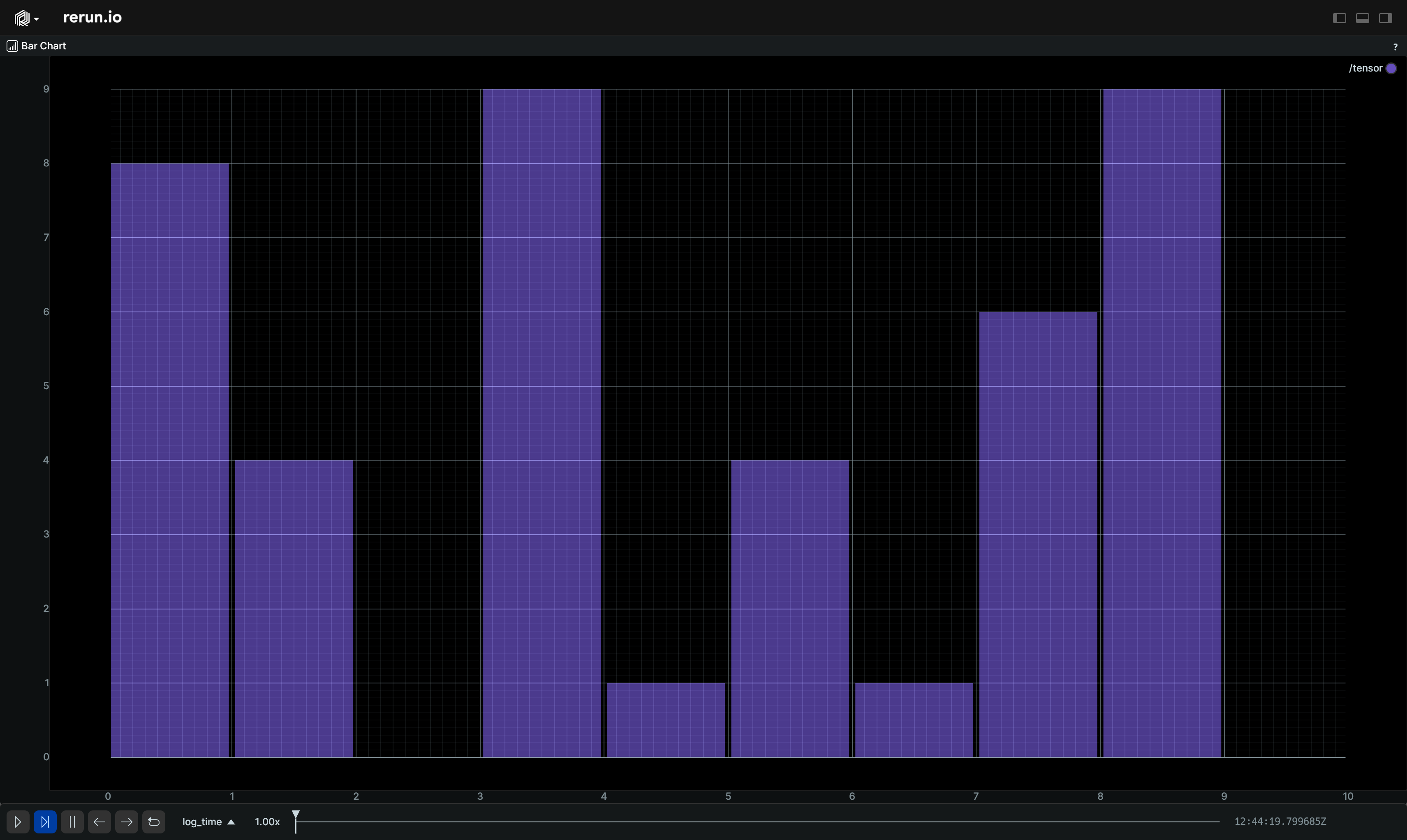
__init__
def __init__(
    *,
    origin: EntityPathLike = "/",
    contents: ViewContentsLike = "$origin/**",
    name: Utf8Like | None = None,
    visible: BoolLike | None = None,
    titlebar: BoolLike | None = None,
    defaults: Iterable[
        AsComponents | Iterable[DescribedComponentBatch]
    ]
    | None = None,
    overrides: Mapping[
        EntityPathLike,
        VisualizerLike | Iterable[VisualizerLike],
    ]
    | None = None,
    plot_legend: PlotLegend | Corner2D | None = None,
    background: PlotBackground | None = None,
) -> None
Construct a blueprint for a new BarChartView view.
| PARAMETER | DESCRIPTION |
|---|---|
origin
|
The
TYPE:
|
contents
|
The contents of the view specified as a query expression. This is either a single expression, or a list of multiple expressions. See rerun.blueprint.archetypes.ViewContents.
TYPE:
|
name
|
The display name of the view.
TYPE:
|
visible
|
Whether this view is visible. Defaults to true if not specified.
TYPE:
|
titlebar
|
Whether this view shows its title bar. The title bar is always shown when the view shares a tab container with other views. Defaults to true if not specified.
TYPE:
|
defaults
|
List of archetypes or (described) component batches to add to the view. When an archetype in the view is missing a component included in this set, the value of default will be used instead of the normal fallback for the visualizer. Note that an archetype's required components typically don't have any effect.
It is recommended to use the archetype's
TYPE:
|
overrides
|
Dictionary of visualizer overrides to apply to the view. The key is the path to the entity where the override should be applied. The value is a list of visualizers which should be enabled for that entity, or a single visualizer. Each visualizer can be configured with arbitrary overrides and mappings. For any entity mentioned in this map, visualizers are no longer added automatically based on the entity's components. Important note: the path must be a fully qualified entity path starting at the root. The override paths
do not yet support
TYPE:
|
plot_legend
|
Configures the legend of the plot.
TYPE:
|
background
|
Configures the background of the plot.
TYPE:
|
blueprint_path
def blueprint_path() -> str
The blueprint path where this view will be logged.
Note that although this is an EntityPath, is scoped to the blueprint tree and
not a part of the regular data hierarchy.
Blueprint
The top-level description of the viewer blueprint.
__init__
def __init__(
    *parts: BlueprintPart,
    auto_layout: bool | None = None,
    auto_views: bool | None = None,
    collapse_panels: bool = False,
) -> None
Construct a new blueprint from the given parts.
Each BlueprintPart can be one of the following:
It is an error to provide more than one of instance of any of the panel types.
Blueprints only have a single top-level "root" container that defines the viewport.
If you provide multiple ContainerLike instances, they will be combined under a single
root Tab container.
| PARAMETER | DESCRIPTION |
|---|---|
*parts
|
The parts of the blueprint.
TYPE:
|
auto_layout
|
Whether to automatically layout the viewport. If
TYPE:
|
auto_views
|
Whether to automatically add views to the viewport. If
TYPE:
|
collapse_panels
|
Whether to collapse panels in the viewer. Defaults to This fully hides the blueprint/selection panels, and shows the simplified time panel.
TYPE:
|
connect_grpc
def connect_grpc(
    application_id: str,
    *,
    url: str | None = None,
    make_active: bool = True,
    make_default: bool = True,
) -> None
Connect to a remote Rerun Viewer on the given URL and send this blueprint.
| PARAMETER | DESCRIPTION |
|---|---|
application_id
|
The application ID to use for this blueprint. This must match the application ID used when initiating rerun for any data logging you wish to associate with this blueprint.
TYPE:
|
url
|
The URL to connect to The scheme must be one of The default is
TYPE:
|
make_active
|
Immediately make this the active blueprint for the associated
TYPE:
|
make_default
|
Make this the default blueprint for the
TYPE:
|
save
Save this blueprint to a file. Rerun recommends the .rbl suffix.
| PARAMETER | DESCRIPTION |
|---|---|
application_id
|
The application ID to use for this blueprint. This must match the application ID used when initiating rerun for any data logging you wish to associate with this blueprint.
TYPE:
|
path
|
The path to save the blueprint to. Defaults to |
spawn
def spawn(
    application_id: str,
    *,
    port: int = 9876,
    memory_limit: str = "75%",
    hide_welcome_screen: bool = False,
    detach_process: bool = True,
) -> None
Spawn a Rerun viewer with this blueprint.
| PARAMETER | DESCRIPTION |
|---|---|
application_id
|
The application ID to use for this blueprint. This must match the application ID used when initiating rerun for any data logging you wish to associate with this blueprint.
TYPE:
|
port
|
The port to listen on.
TYPE:
|
memory_limit
|
An upper limit on how much memory the Rerun Viewer should use.
When this limit is reached, Rerun will drop the oldest data.
Example:
TYPE:
|
hide_welcome_screen
|
Hide the normal Rerun welcome screen.
TYPE:
|
detach_process
|
Detach Rerun Viewer process from the application process.
TYPE:
|
BlueprintPanel
Bases: Panel
The state of the blueprint panel.
__init__
def __init__(
    *,
    expanded: bool | None = None,
    state: PanelStateLike | None = None,
) -> None
Construct a new blueprint panel.
| PARAMETER | DESCRIPTION |
|---|---|
expanded
|
Deprecated. Use
TYPE:
|
state
|
Whether the panel is expanded, collapsed, or hidden. Collapsed and hidden both fully hide the blueprint panel.
TYPE:
|
blueprint_path
def blueprint_path() -> str
The blueprint path where this view will be logged.
Note that although this is an EntityPath, is scoped to the blueprint tree and
not a part of the regular data hierarchy.
Container
Base class for all container types.
Consider using one of the subclasses instead of this class directly:
These are ergonomic helpers on top of rerun.blueprint.archetypes.ContainerBlueprint.
__init__
def __init__(
    *args: Container | View,
    contents: Iterable[Container | View] | None = None,
    kind: ContainerKindLike,
    column_shares: Float32ArrayLike | None = None,
    row_shares: Float32ArrayLike | None = None,
    grid_columns: int | None = None,
    active_tab: int | str | None = None,
    name: Utf8Like | None,
    visible: BoolLike | None = None,
) -> None
Construct a new container.
| PARAMETER | DESCRIPTION |
|---|---|
*args
|
All positional arguments are forwarded to the |
contents
|
The contents of the container. Each item in the iterable must be a |
kind
|
The kind of the container. This must correspond to a known container kind.
Prefer to use one of the subclasses of
TYPE:
|
column_shares
|
The layout shares of the columns in the container. The share is used to determine what fraction of the total width each
column should take up. The column with index
TYPE:
|
row_shares
|
The layout shares of the rows in the container. The share is used to determine what fraction of the total height each
row should take up. The row with index
TYPE:
|
grid_columns
|
The number of columns in the grid. This is only applicable to
TYPE:
|
active_tab
|
The active tab in the container. This is only applicable to |
name
|
The name of the container
TYPE:
|
visible
|
Whether this container is visible. Defaults to true if not specified.
TYPE:
|
blueprint_path
def blueprint_path() -> str
The blueprint path where this view will be logged.
Note that although this is an EntityPath, is scoped to the blueprint tree and
not a part of the regular data hierarchy.
Corner2D
Bases: Enum
Component: One of four 2D corners, typically used to align objects.
LeftBottom
class-attribute
instance-attribute
LeftBottom = 3
Left bottom corner.
LeftTop
class-attribute
instance-attribute
LeftTop = 1
Left top corner.
RightBottom
class-attribute
instance-attribute
RightBottom = 4
Right bottom corner.
RightTop
class-attribute
instance-attribute
RightTop = 2
Right top corner.
DataframeView
Bases: View
View: A view to display any data in a tabular form.
Any data from the store can be shown, using a flexible, user-configurable query.
See Dataframe queries to learn more about the query model.
⚠️ This type is unstable and may change significantly in a way that the data won't be backwards compatible.
Example
Use a blueprint to customize a DataframeView.:
import math

import rerun as rr
import rerun.blueprint as rrb

rr.init("rerun_example_dataframe", spawn=True)

# Log some data.
for t in range(int(math.pi * 4 * 100.0)):
    rr.set_time("t", duration=t)
    rr.log("trig/sin", rr.Scalars(math.sin(float(t) / 100.0)))
    rr.log("trig/cos", rr.Scalars(math.cos(float(t) / 100.0)))

    # some sparse data
    if t % 5 == 0:
        rr.log("trig/tan_sparse", rr.Scalars(math.tan(float(t) / 100.0)))

# Create a Dataframe View
blueprint = rrb.Blueprint(
    rrb.DataframeView(
        origin="/trig",
        query=rrb.archetypes.DataframeQuery(
            timeline="t",
            filter_by_range=(rr.TimeInt(seconds=0), rr.TimeInt(seconds=20)),
            filter_is_not_null="/trig/tan_sparse:Scalar",
            select=[
                "t",
                "log_tick",
                "/trig/sin:Scalar",
                "/trig/cos:Scalar",
                "/trig/tan_sparse:Scalar",
            ],
            entity_order=["/trig/cos", "/trig/sin", "/trig/tan_sparse"],
            auto_scroll=True,
        ),
    ),
)

rr.send_blueprint(blueprint)
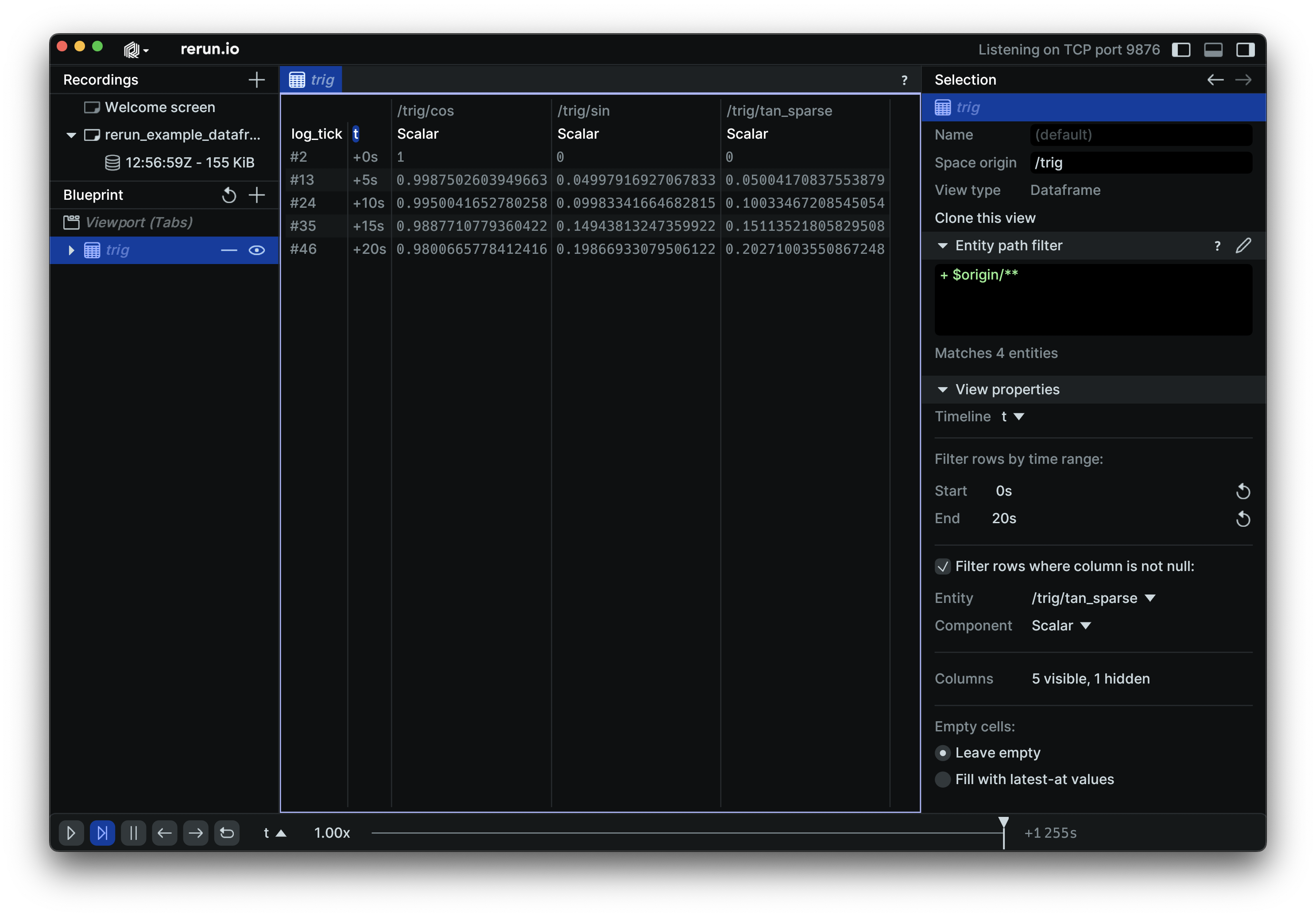
__init__
def __init__(
    *,
    origin: EntityPathLike = "/",
    contents: ViewContentsLike = "$origin/**",
    name: Utf8Like | None = None,
    visible: BoolLike | None = None,
    titlebar: BoolLike | None = None,
    defaults: Iterable[
        AsComponents | Iterable[DescribedComponentBatch]
    ]
    | None = None,
    overrides: Mapping[
        EntityPathLike,
        VisualizerLike | Iterable[VisualizerLike],
    ]
    | None = None,
    query: DataframeQuery | None = None,
) -> None
Construct a blueprint for a new DataframeView view.
| PARAMETER | DESCRIPTION |
|---|---|
origin
|
The
TYPE:
|
contents
|
The contents of the view specified as a query expression. This is either a single expression, or a list of multiple expressions. See rerun.blueprint.archetypes.ViewContents.
TYPE:
|
name
|
The display name of the view.
TYPE:
|
visible
|
Whether this view is visible. Defaults to true if not specified.
TYPE:
|
titlebar
|
Whether this view shows its title bar. The title bar is always shown when the view shares a tab container with other views. Defaults to true if not specified.
TYPE:
|
defaults
|
List of archetypes or (described) component batches to add to the view. When an archetype in the view is missing a component included in this set, the value of default will be used instead of the normal fallback for the visualizer. Note that an archetype's required components typically don't have any effect.
It is recommended to use the archetype's
TYPE:
|
overrides
|
Dictionary of visualizer overrides to apply to the view. The key is the path to the entity where the override should be applied. The value is a list of visualizers which should be enabled for that entity, or a single visualizer. Each visualizer can be configured with arbitrary overrides and mappings. For any entity mentioned in this map, visualizers are no longer added automatically based on the entity's components. Important note: the path must be a fully qualified entity path starting at the root. The override paths
do not yet support
TYPE:
|
query
|
Query of the dataframe.
TYPE:
|
blueprint_path
def blueprint_path() -> str
The blueprint path where this view will be logged.
Note that although this is an EntityPath, is scoped to the blueprint tree and
not a part of the regular data hierarchy.
EntityBehavior
Bases: Archetype
Archetype: General visualization behavior of an entity.
TODO(#6541): Fields of this archetype currently only have an effect when logged in the blueprint store.
Example
entity_behavior:
import rerun as rr
import rerun.blueprint as rrb

rr.init("rerun_example_entity_behavior", spawn=True)

# Use `EntityBehavior` to override visibility & interactivity of entities
# in the blueprint.
rr.send_blueprint(
    rrb.Spatial2DView(
        overrides={
            "hidden_subtree": rrb.EntityBehavior(visible=False),
            "hidden_subtree/not_hidden": rrb.EntityBehavior(visible=True),
            "non_interactive_subtree": rrb.EntityBehavior(interactive=False),
        }
    )
)

rr.log("hidden_subtree", rr.Points2D(positions=(0, 0), radii=0.5))
rr.log("hidden_subtree/also_hidden", rr.LineStrips2D(strips=[(-1, 1), (1, -1)]))
rr.log("hidden_subtree/not_hidden", rr.LineStrips2D(strips=[(1, 1), (-1, -1)]))
rr.log("non_interactive_subtree", rr.Boxes2D(centers=(0, 0), half_sizes=(1, 1)))
rr.log(
    "non_interactive_subtree/also_non_interactive",
    rr.Boxes2D(centers=(0, 0), half_sizes=(0.5, 0.5)),
)
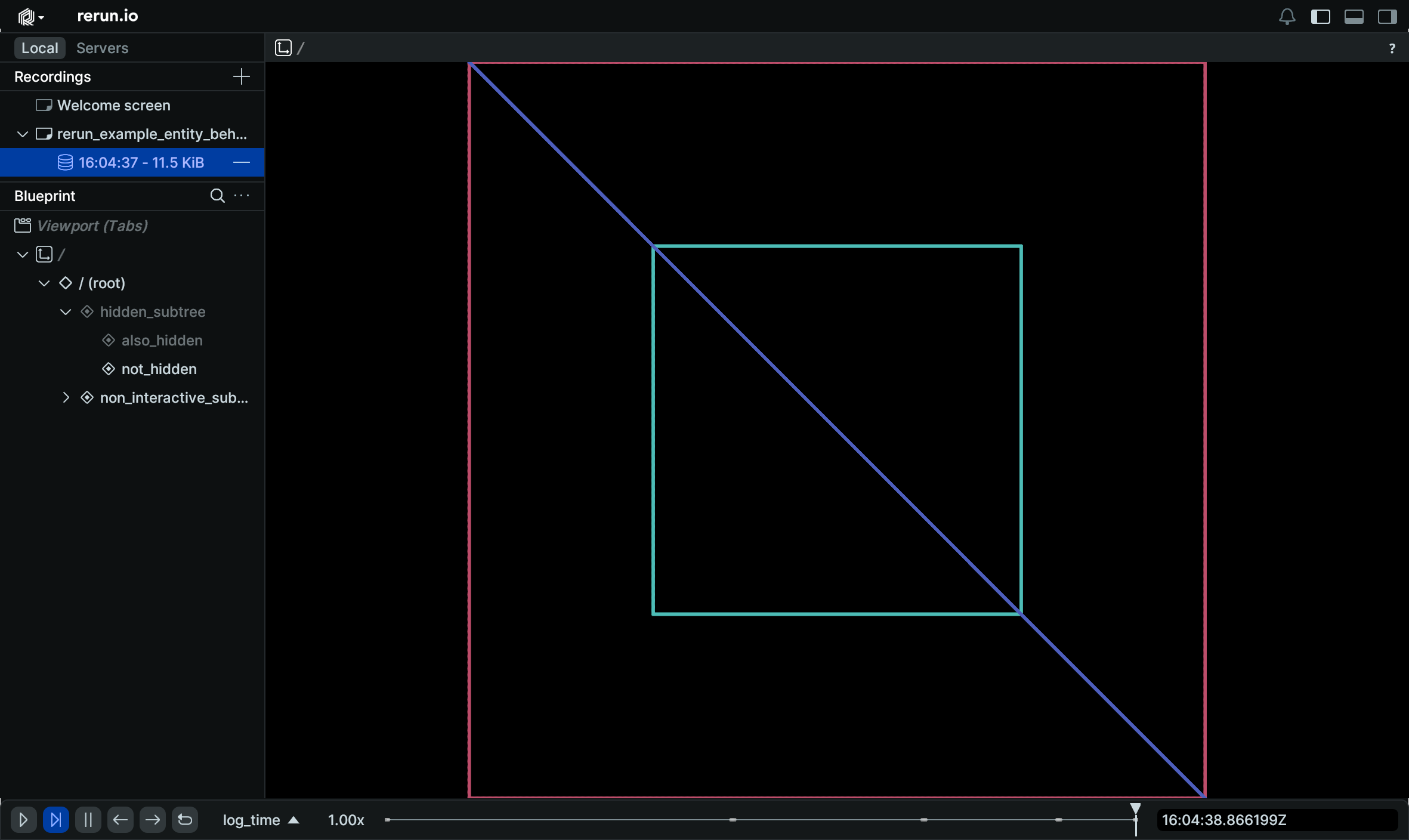
__init__
Create a new instance of the EntityBehavior archetype.
| PARAMETER | DESCRIPTION |
|---|---|
interactive
|
Whether the entity can be interacted with. This property is propagated down the entity hierarchy until another child entity
sets Defaults to parent's
TYPE:
|
visible
|
Whether the entity is visible. This property is propagated down the entity hierarchy until another child entity
sets Defaults to parent's
TYPE:
|
from_fields
classmethod
def from_fields(
    *,
    clear_unset: bool = False,
    interactive: BoolLike | None = None,
    visible: BoolLike | None = None,
) -> EntityBehavior
Update only some specific fields of a EntityBehavior.
| PARAMETER | DESCRIPTION |
|---|---|
clear_unset
|
If true, all unspecified fields will be explicitly cleared.
TYPE:
|
interactive
|
Whether the entity can be interacted with. This property is propagated down the entity hierarchy until another child entity
sets Defaults to parent's
TYPE:
|
visible
|
Whether the entity is visible. This property is propagated down the entity hierarchy until another child entity
sets Defaults to parent's
TYPE:
|
Eye3DKind
Bases: Enum
Component: The kind of the 3D eye to view a scene in a views.Spatial3DView.
This is used to specify how the controls of the view react to user input (such as mouse gestures).
FirstPerson
class-attribute
instance-attribute
FirstPerson = 1
First person point of view.
The camera perspective as if one is seeing it through the eyes of a person as popularized by first-person games. The center of rotation is the position of the eye (the camera). Dragging the mouse on the spatial 3D view, will rotation the scene as if one is moving their head around.
Orbital
class-attribute
instance-attribute
Orbital = 2
Orbital eye.
The center of rotation is located to a center location in front of the eye (it is different from the eye location itself), as if the eye was orbiting around the scene.
EyeControls3D
Bases: Archetype
Archetype: The controls for the 3D eye in a spatial 3D view.
This configures the camera through which the 3D scene is viewed.
⚠️ This type is unstable and may change significantly in a way that the data won't be backwards compatible.
__init__
def __init__(
    *,
    kind: Eye3DKindLike | None = None,
    position: Vec3DLike | None = None,
    look_target: Vec3DLike | None = None,
    eye_up: Vec3DLike | None = None,
    speed: Float64Like | None = None,
    tracking_entity: EntityPathLike | None = None,
    spin_speed: Float64Like | None = None,
) -> None
Create a new instance of the EyeControls3D archetype.
| PARAMETER | DESCRIPTION |
|---|---|
kind
|
The kind of the eye for the spatial 3D view. This controls how the eye movement behaves when the user interact with the view. Defaults to orbital.
TYPE:
|
position
|
The cameras current position.
TYPE:
|
look_target
|
The position the camera is currently looking at. If this is an orbital camera, this also is the center it orbits around. By default this is the center of the scene bounds.
TYPE:
|
eye_up
|
The up-axis of the eye itself, in world-space. Initially, the up-axis of the eye will be the same as the up-axis of the scene (or +Z if the scene has no up axis defined).
TYPE:
|
speed
|
Translation speed of the eye in the view (when using WASDQE keys to move in the 3D scene). The default depends on the control kind. For orbit cameras it is derived from the distance to the orbit center. For first person cameras it is derived from the scene size.
TYPE:
|
tracking_entity
|
Currently tracked entity. If this is a camera, it takes over the camera pose, otherwise follows the entity.
TYPE:
|
spin_speed
|
What speed, if any, the camera should spin around the eye-up axis. Defaults to zero, meaning no spinning.
TYPE:
|
from_fields
classmethod
def from_fields(
    *,
    clear_unset: bool = False,
    kind: Eye3DKindLike | None = None,
    position: Vec3DLike | None = None,
    look_target: Vec3DLike | None = None,
    eye_up: Vec3DLike | None = None,
    speed: Float64Like | None = None,
    tracking_entity: EntityPathLike | None = None,
    spin_speed: Float64Like | None = None,
) -> EyeControls3D
Update only some specific fields of a EyeControls3D.
| PARAMETER | DESCRIPTION |
|---|---|
clear_unset
|
If true, all unspecified fields will be explicitly cleared.
TYPE:
|
kind
|
The kind of the eye for the spatial 3D view. This controls how the eye movement behaves when the user interact with the view. Defaults to orbital.
TYPE:
|
position
|
The cameras current position.
TYPE:
|
look_target
|
The position the camera is currently looking at. If this is an orbital camera, this also is the center it orbits around. By default this is the center of the scene bounds.
TYPE:
|
eye_up
|
The up-axis of the eye itself, in world-space. Initially, the up-axis of the eye will be the same as the up-axis of the scene (or +Z if the scene has no up axis defined).
TYPE:
|
speed
|
Translation speed of the eye in the view (when using WASDQE keys to move in the 3D scene). The default depends on the control kind. For orbit cameras it is derived from the distance to the orbit center. For first person cameras it is derived from the scene size.
TYPE:
|
tracking_entity
|
Currently tracked entity. If this is a camera, it takes over the camera pose, otherwise follows the entity.
TYPE:
|
spin_speed
|
What speed, if any, the camera should spin around the eye-up axis. Defaults to zero, meaning no spinning.
TYPE:
|
GraphView
Bases: View
View: A graph view to display time-variying, directed or undirected graph visualization.
⚠️ This type is unstable and may change significantly in a way that the data won't be backwards compatible.
Example
Use a blueprint to create a graph view.:
import rerun as rr
import rerun.blueprint as rrb

rr.init("rerun_example_graph_view", spawn=True)

rr.log(
    "simple",
    rr.GraphNodes(
        node_ids=["a", "b", "c"],
        positions=[(0.0, 100.0), (-100.0, 0.0), (100.0, 0.0)],
        labels=["A", "B", "C"],
    ),
)

# Create a Spatial2D view to display the points.
blueprint = rrb.Blueprint(
    rrb.GraphView(
        origin="/",
        name="Graph",
        # Note that this translates the viewbox.
        visual_bounds=rrb.VisualBounds2D(
            x_range=[-150, 150], y_range=[-50, 150]
        ),
        background=rrb.archetypes.GraphBackground(color=[30, 10, 10]),
    ),
    collapse_panels=True,
)

rr.send_blueprint(blueprint)
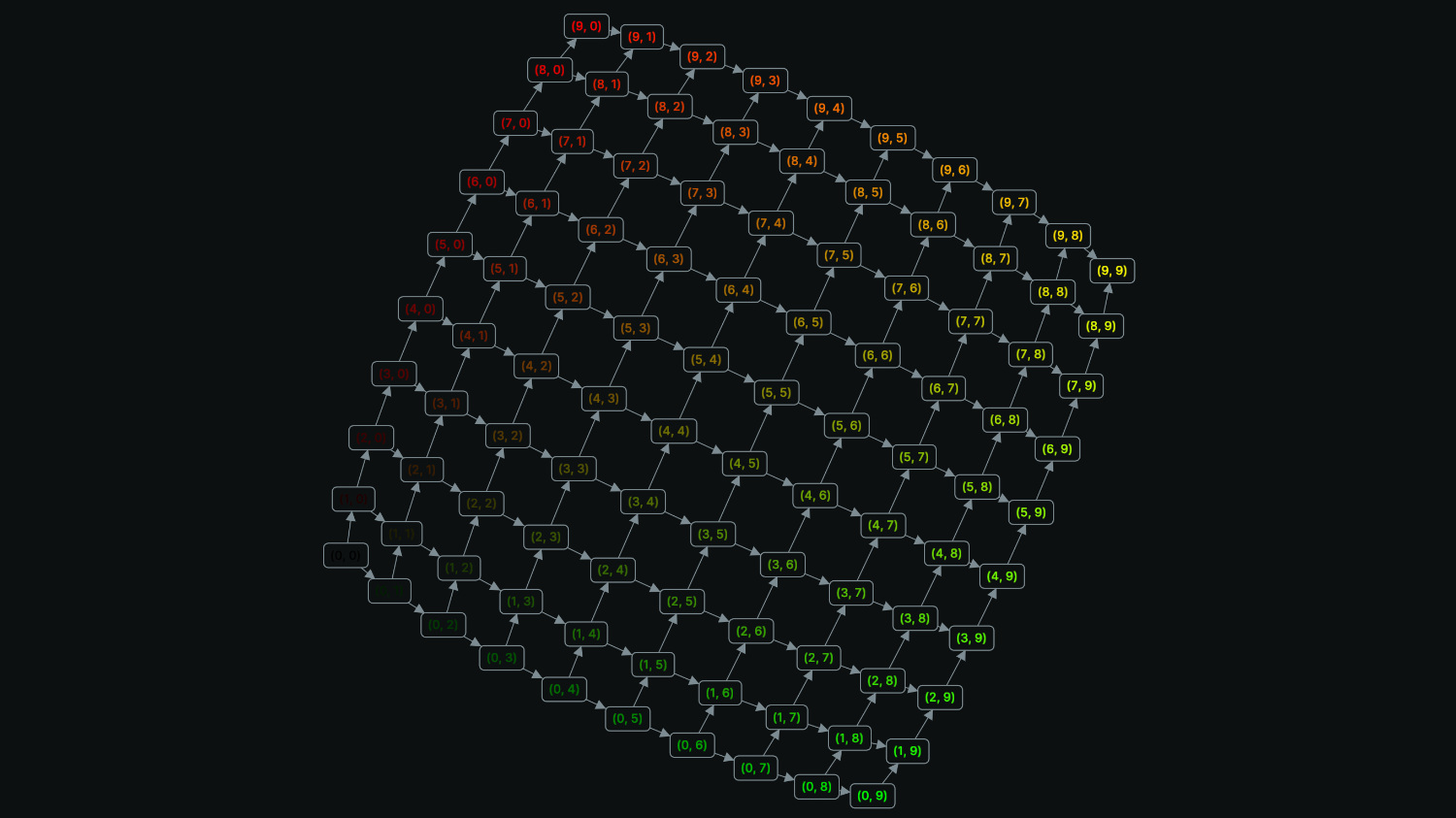
__init__
def __init__(
    *,
    origin: EntityPathLike = "/",
    contents: ViewContentsLike = "$origin/**",
    name: Utf8Like | None = None,
    visible: BoolLike | None = None,
    titlebar: BoolLike | None = None,
    defaults: Iterable[
        AsComponents | Iterable[DescribedComponentBatch]
    ]
    | None = None,
    overrides: Mapping[
        EntityPathLike,
        VisualizerLike | Iterable[VisualizerLike],
    ]
    | None = None,
    background: GraphBackground | None = None,
    visual_bounds: VisualBounds2D | None = None,
    force_link: ForceLink | None = None,
    force_many_body: ForceManyBody | None = None,
    force_position: ForcePosition | None = None,
    force_collision_radius: ForceCollisionRadius
    | None = None,
    force_center: ForceCenter | None = None,
) -> None
Construct a blueprint for a new GraphView view.
| PARAMETER | DESCRIPTION |
|---|---|
origin
|
The
TYPE:
|
contents
|
The contents of the view specified as a query expression. This is either a single expression, or a list of multiple expressions. See rerun.blueprint.archetypes.ViewContents.
TYPE:
|
name
|
The display name of the view.
TYPE:
|
visible
|
Whether this view is visible. Defaults to true if not specified.
TYPE:
|
titlebar
|
Whether this view shows its title bar. The title bar is always shown when the view shares a tab container with other views. Defaults to true if not specified.
TYPE:
|
defaults
|
List of archetypes or (described) component batches to add to the view. When an archetype in the view is missing a component included in this set, the value of default will be used instead of the normal fallback for the visualizer. Note that an archetype's required components typically don't have any effect.
It is recommended to use the archetype's
TYPE:
|
overrides
|
Dictionary of visualizer overrides to apply to the view. The key is the path to the entity where the override should be applied. The value is a list of visualizers which should be enabled for that entity, or a single visualizer. Each visualizer can be configured with arbitrary overrides and mappings. For any entity mentioned in this map, visualizers are no longer added automatically based on the entity's components. Important note: the path must be a fully qualified entity path starting at the root. The override paths
do not yet support
TYPE:
|
background
|
Configures the background of the graph.
TYPE:
|
visual_bounds
|
Everything within these bounds is guaranteed to be visible. Some things outside of these bounds may also be visible due to letterboxing.
TYPE:
|
force_link
|
Allows to control the interaction between two nodes connected by an edge.
TYPE:
|
force_many_body
|
A force between each pair of nodes that ressembles an electrical charge.
TYPE:
|
force_position
|
Similar to gravity, this force pulls nodes towards a specific position.
TYPE:
|
force_collision_radius
|
Resolves collisions between the bounding spheres, according to the radius of the nodes.
TYPE:
|
force_center
|
Tries to move the center of mass of the graph to the origin.
TYPE:
|
blueprint_path
def blueprint_path() -> str
The blueprint path where this view will be logged.
Note that although this is an EntityPath, is scoped to the blueprint tree and
not a part of the regular data hierarchy.
Grid
Bases: Container
A grid container.
__init__
def __init__(
    *args: Container | View,
    contents: Iterable[Container | View] | None = None,
    column_shares: Float32ArrayLike | None = None,
    row_shares: Float32ArrayLike | None = None,
    grid_columns: int | None = None,
    name: Utf8Like | None = None,
    visible: BoolLike | None = None,
) -> None
Construct a new grid container.
| PARAMETER | DESCRIPTION |
|---|---|
*args
|
All positional arguments are forwarded to the |
contents
|
The contents of the container. Each item in the iterable must be a |
column_shares
|
The layout shares of the columns in the container. The share is used to determine what fraction of the total width each
column should take up. The column with index
TYPE:
|
row_shares
|
The layout shares of the rows in the container. The share is used to determine what fraction of the total height each
row should take up. The row with index
TYPE:
|
grid_columns
|
The number of columns in the grid.
TYPE:
|
name
|
The name of the container
TYPE:
|
visible
|
Whether this container is visible. Defaults to true if not specified.
TYPE:
|
blueprint_path
def blueprint_path() -> str
The blueprint path where this view will be logged.
Note that although this is an EntityPath, is scoped to the blueprint tree and
not a part of the regular data hierarchy.
Horizontal
Bases: Container
A horizontal container.
__init__
def __init__(
    *args: Container | View,
    contents: Iterable[Container | View] | None = None,
    column_shares: Float32ArrayLike | None = None,
    name: Utf8Like | None = None,
    visible: BoolLike | None = None,
) -> None
Construct a new horizontal container.
| PARAMETER | DESCRIPTION |
|---|---|
*args
|
All positional arguments are forwarded to the |
contents
|
The contents of the container. Each item in the iterable must be a |
column_shares
|
The layout shares of the columns in the container. The share is used to determine what fraction of the total width each
column should take up. The column with index
TYPE:
|
name
|
The name of the container
TYPE:
|
visible
|
Whether this container is visible. Defaults to true if not specified.
TYPE:
|
blueprint_path
def blueprint_path() -> str
The blueprint path where this view will be logged.
Note that although this is an EntityPath, is scoped to the blueprint tree and
not a part of the regular data hierarchy.
LineGrid3D
Bases: LineGrid3DExt, Archetype
Archetype: Configuration for the 3D line grid.
⚠️ This type is unstable and may change significantly in a way that the data won't be backwards compatible.
__init__
def __init__(
    visible: BoolLike | None = None,
    *,
    spacing: Float32Like | None = None,
    plane: Plane3DLike | None = None,
    stroke_width: Float32Like | None = None,
    color: Rgba32Like | None = None,
) -> None
Create a new instance of the LineGrid3D archetype.
| PARAMETER | DESCRIPTION |
|---|---|
visible
|
Whether the grid is visible. Defaults to true.
TYPE:
|
spacing
|
Space between grid lines spacing of one line to the next in scene units. As you zoom out, successively only every tenth line is shown. This controls the closest zoom level.
TYPE:
|
plane
|
In what plane the grid is drawn. Defaults to whatever plane is determined as the plane at zero units up/down as defined by
TYPE:
|
stroke_width
|
How thick the lines should be in ui units. Default is 1.0 ui unit.
TYPE:
|
color
|
Color used for the grid. Transparency via alpha channel is supported. Defaults to a slightly transparent light gray.
TYPE:
|
from_fields
classmethod
def from_fields(
    *,
    clear_unset: bool = False,
    visible: BoolLike | None = None,
    spacing: Float32Like | None = None,
    plane: Plane3DLike | None = None,
    stroke_width: Float32Like | None = None,
    color: Rgba32Like | None = None,
) -> LineGrid3D
Update only some specific fields of a LineGrid3D.
| PARAMETER | DESCRIPTION |
|---|---|
clear_unset
|
If true, all unspecified fields will be explicitly cleared.
TYPE:
|
visible
|
Whether the grid is visible. Defaults to true.
TYPE:
|
spacing
|
Space between grid lines spacing of one line to the next in scene units. As you zoom out, successively only every tenth line is shown. This controls the closest zoom level.
TYPE:
|
plane
|
In what plane the grid is drawn. Defaults to the plane at zero units along the up/down axis defined by
TYPE:
|
stroke_width
|
How thick the lines should be in ui units. Default is 1.0 ui unit.
TYPE:
|
color
|
Color used for the grid. Transparency via alpha channel is supported. Defaults to a slightly transparent light gray.
TYPE:
|
LockRangeDuringZoom
Bases: Bool, ComponentMixin
Component: Indicate whether the range should be locked when zooming in on the data.
Default is false, i.e. zoom will change the visualized range.
⚠️ This type is unstable and may change significantly in a way that the data won't be backwards compatible.
arrow_type
classmethod
def arrow_type() -> DataType
The pyarrow type of this batch.
Part of the rerun.ComponentBatchLike logging interface.
as_arrow_array
def as_arrow_array() -> Array
The component as an arrow batch.
Part of the rerun.ComponentBatchLike logging interface.
component_type
classmethod
def component_type() -> str
Returns the name of the component.
Part of the rerun.ComponentBatchLike logging interface.
MapProvider
Bases: Enum
Component: Name of the map provider to be used in Map views.
MapboxDark
class-attribute
instance-attribute
MapboxDark = 3
Mapbox Dark is a dark-themed map designed by Mapbox.
MapboxLight
class-attribute
instance-attribute
MapboxLight = 5
Mapbox Light is a light-themed map designed by Mapbox.
MapboxSatellite
class-attribute
instance-attribute
MapboxSatellite = 4
Mapbox Satellite is a satellite map designed by Mapbox.
MapboxStreets
class-attribute
instance-attribute
MapboxStreets = 2
Mapbox Streets is a minimalistic map designed by Mapbox.
OpenStreetMap
class-attribute
instance-attribute
OpenStreetMap = 1
OpenStreetMap is the default map provider.
auto
classmethod
def auto(val: str | int | MapProvider) -> MapProvider
Best-effort converter, including a case-insensitive string matcher.
MapView
Bases: View
View: A 2D map view to display geospatial primitives.
⚠️ This type is unstable and may change significantly in a way that the data won't be backwards compatible.
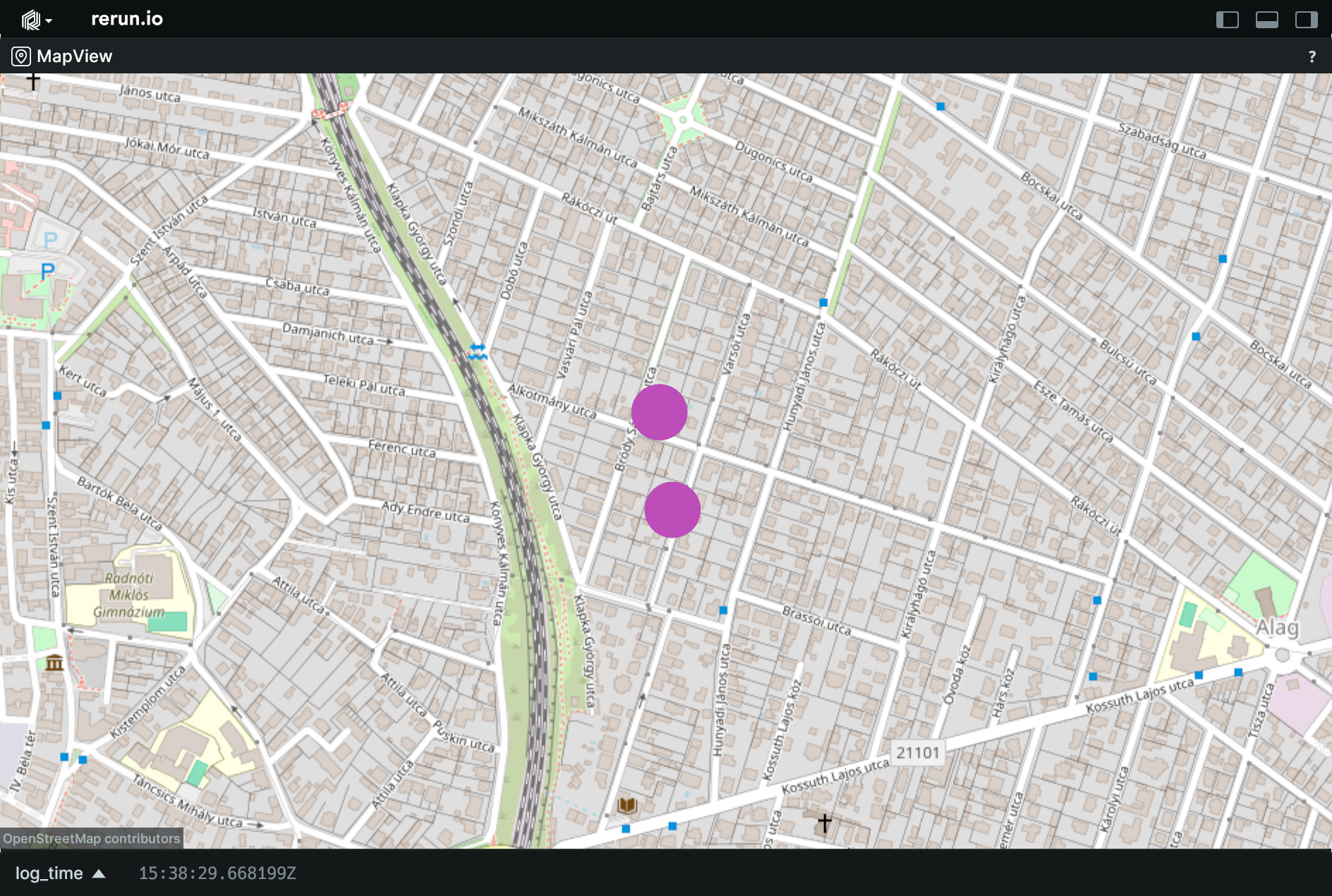
Example
Use a blueprint to create a map view.:
import rerun as rr
import rerun.blueprint as rrb

rr.init("rerun_example_map_view", spawn=True)

rr.log(
    "points",
    rr.GeoPoints(
        lat_lon=[[47.6344, 19.1397], [47.6334, 19.1399]],
        radii=rr.Radius.ui_points(20.0),
    ),
)

# Create a map view to display the chart.
blueprint = rrb.Blueprint(
    rrb.MapView(
        origin="points",
        name="MapView",
        zoom=16.0,
        background=rrb.MapProvider.OpenStreetMap,
    ),
    collapse_panels=True,
)

rr.send_blueprint(blueprint)
__init__
def __init__(
    *,
    origin: EntityPathLike = "/",
    contents: ViewContentsLike = "$origin/**",
    name: Utf8Like | None = None,
    visible: BoolLike | None = None,
    titlebar: BoolLike | None = None,
    defaults: Iterable[
        AsComponents | Iterable[DescribedComponentBatch]
    ]
    | None = None,
    overrides: Mapping[
        EntityPathLike,
        VisualizerLike | Iterable[VisualizerLike],
    ]
    | None = None,
    zoom: MapZoom | Float64Like | None = None,
    background: MapBackground
    | MapProviderLike
    | None = None,
) -> None
Construct a blueprint for a new MapView view.
| PARAMETER | DESCRIPTION |
|---|---|
origin
|
The
TYPE:
|
contents
|
The contents of the view specified as a query expression. This is either a single expression, or a list of multiple expressions. See rerun.blueprint.archetypes.ViewContents.
TYPE:
|
name
|
The display name of the view.
TYPE:
|
visible
|
Whether this view is visible. Defaults to true if not specified.
TYPE:
|
titlebar
|
Whether this view shows its title bar. The title bar is always shown when the view shares a tab container with other views. Defaults to true if not specified.
TYPE:
|
defaults
|
List of archetypes or (described) component batches to add to the view. When an archetype in the view is missing a component included in this set, the value of default will be used instead of the normal fallback for the visualizer. Note that an archetype's required components typically don't have any effect.
It is recommended to use the archetype's
TYPE:
|
overrides
|
Dictionary of visualizer overrides to apply to the view. The key is the path to the entity where the override should be applied. The value is a list of visualizers which should be enabled for that entity, or a single visualizer. Each visualizer can be configured with arbitrary overrides and mappings. For any entity mentioned in this map, visualizers are no longer added automatically based on the entity's components. Important note: the path must be a fully qualified entity path starting at the root. The override paths
do not yet support
TYPE:
|
zoom
|
Configures the zoom level of the map view.
TYPE:
|
background
|
Configuration for the background map of the map view.
TYPE:
|
blueprint_path
def blueprint_path() -> str
The blueprint path where this view will be logged.
Note that although this is an EntityPath, is scoped to the blueprint tree and
not a part of the regular data hierarchy.
PanelState
Bases: Enum
Component: Tri-state for panel controls.
Collapsed
class-attribute
instance-attribute
Collapsed = 2
Visible, but as small as possible on its shorter axis.
Expanded
class-attribute
instance-attribute
Expanded = 3
Fully expanded.
Hidden
class-attribute
instance-attribute
Hidden = 1
Completely hidden.
auto
classmethod
def auto(val: str | int | PanelState) -> PanelState
Best-effort converter, including a case-insensitive string matcher.
PlotInteraction
Bases: Archetype
Archetype: Configuration for plot interaction behavior.
⚠️ This type is unstable and may change significantly in a way that the data won't be backwards compatible.
__init__
def __init__(
    *,
    tooltip_mode: TooltipModeLike | None = None,
    points_display: PointsDisplayLike | None = None,
) -> None
Create a new instance of the PlotInteraction archetype.
| PARAMETER | DESCRIPTION |
|---|---|
tooltip_mode
|
How the tooltip behaves when hovering over the plot.
TYPE:
|
points_display
|
When data point markers are displayed on line series.
TYPE:
|
from_fields
classmethod
def from_fields(
    *,
    clear_unset: bool = False,
    tooltip_mode: TooltipModeLike | None = None,
    points_display: PointsDisplayLike | None = None,
) -> PlotInteraction
Update only some specific fields of a PlotInteraction.
| PARAMETER | DESCRIPTION |
|---|---|
clear_unset
|
If true, all unspecified fields will be explicitly cleared.
TYPE:
|
tooltip_mode
|
How the tooltip behaves when hovering over the plot.
TYPE:
|
points_display
|
When data point markers are displayed on line series.
TYPE:
|
PlotLegend
Bases: PlotLegendExt, Archetype
Archetype: Configuration for the legend of a plot.
⚠️ This type is unstable and may change significantly in a way that the data won't be backwards compatible.
__init__
def __init__(
    corner: Corner2DLike | None = None,
    *,
    visible: BoolLike | None = None,
) -> None
Create a new instance of the PlotLegend archetype.
| PARAMETER | DESCRIPTION |
|---|---|
corner
|
To what corner the legend is aligned. Defaults to the right bottom corner.
TYPE:
|
visible
|
Whether the legend is shown at all. True by default.
TYPE:
|
from_fields
classmethod
def from_fields(
    *,
    clear_unset: bool = False,
    corner: Corner2DLike | None = None,
    visible: BoolLike | None = None,
) -> PlotLegend
Update only some specific fields of a PlotLegend.
| PARAMETER | DESCRIPTION |
|---|---|
clear_unset
|
If true, all unspecified fields will be explicitly cleared.
TYPE:
|
corner
|
To what corner the legend is aligned. Defaults to the right bottom corner.
TYPE:
|
visible
|
Whether the legend is shown at all. True by default.
TYPE:
|
ScalarAxis
Bases: Archetype
Archetype: Configuration for the scalar (Y) axis of a plot.
⚠️ This type is unstable and may change significantly in a way that the data won't be backwards compatible.
__init__
def __init__(
    *,
    range: Range1DLike | None = None,
    zoom_lock: BoolLike | None = None,
) -> None
Create a new instance of the ScalarAxis archetype.
| PARAMETER | DESCRIPTION |
|---|---|
range
|
The range of the axis. If unset, the range well be automatically determined based on the queried data.
TYPE:
|
zoom_lock
|
If enabled, the Y axis range will remain locked to the specified range when zooming.
TYPE:
|
from_fields
classmethod
def from_fields(
    *,
    clear_unset: bool = False,
    range: Range1DLike | None = None,
    zoom_lock: BoolLike | None = None,
) -> ScalarAxis
Update only some specific fields of a ScalarAxis.
| PARAMETER | DESCRIPTION |
|---|---|
clear_unset
|
If true, all unspecified fields will be explicitly cleared.
TYPE:
|
range
|
The range of the axis. If unset, the range well be automatically determined based on the queried data.
TYPE:
|
zoom_lock
|
If enabled, the Y axis range will remain locked to the specified range when zooming.
TYPE:
|
SelectionPanel
Bases: Panel
The state of the selection panel.
__init__
def __init__(
    *,
    expanded: bool | None = None,
    state: PanelStateLike | None = None,
) -> None
Construct a new selection panel.
| PARAMETER | DESCRIPTION |
|---|---|
expanded
|
Deprecated. Use
TYPE:
|
state
|
Whether the panel is expanded, collapsed, or hidden. Collapsed and hidden both fully hide the selection panel.
TYPE:
|
blueprint_path
def blueprint_path() -> str
The blueprint path where this view will be logged.
Note that although this is an EntityPath, is scoped to the blueprint tree and
not a part of the regular data hierarchy.
Spatial2DView
Bases: View
View: For viewing spatial 2D data.
⚠️ This type is unstable and may change significantly in a way that the data won't be backwards compatible.
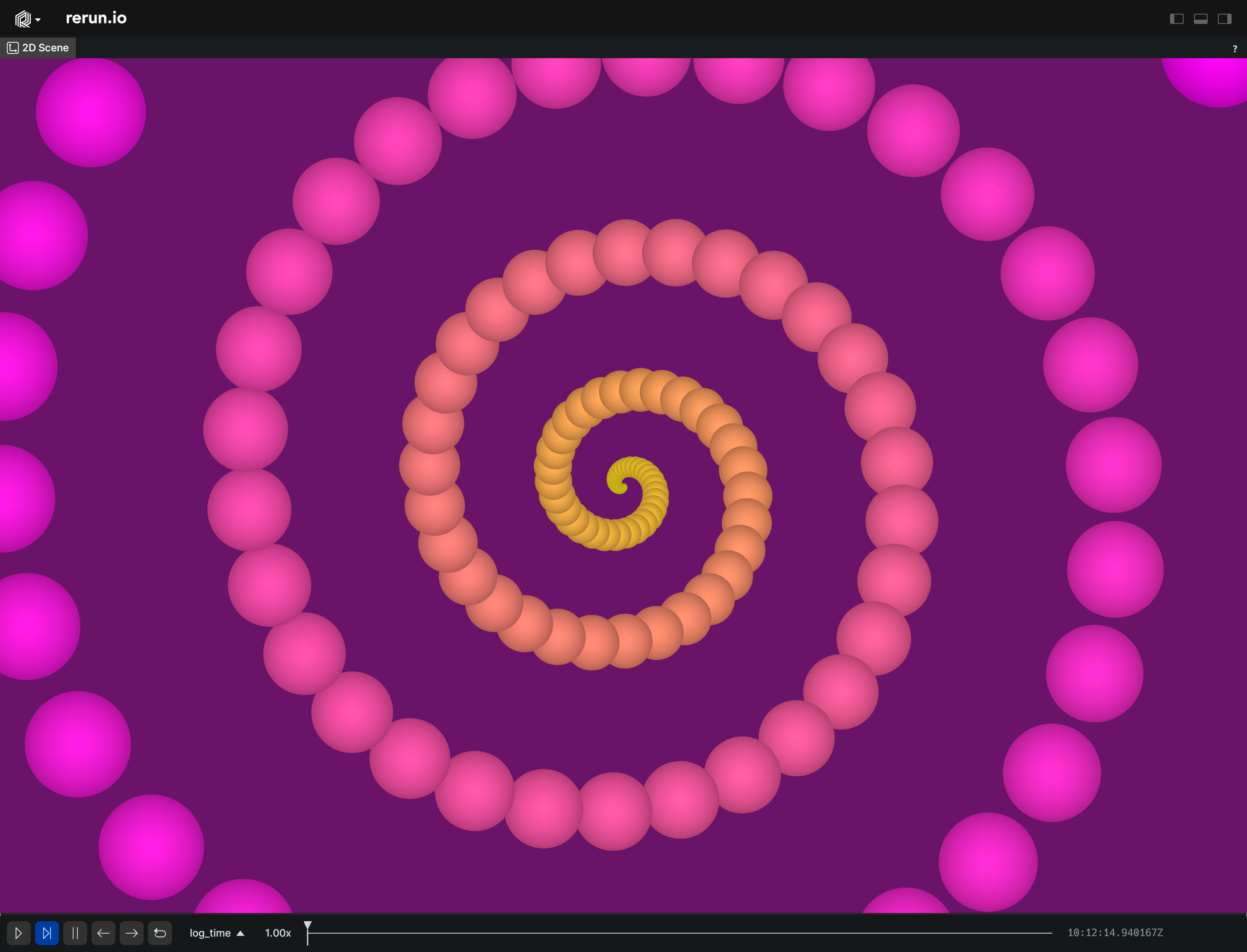
Example
Use a blueprint to customize a Spatial2DView.:
import numpy as np

import rerun as rr
import rerun.blueprint as rrb

rr.init("rerun_example_spatial_2d", spawn=True)

# Create a spiral of points:
n = 150
angle = np.linspace(0, 10 * np.pi, n)
spiral_radius = np.linspace(0.0, 3.0, n) ** 2
positions = np.column_stack((
    np.cos(angle) * spiral_radius,
    np.sin(angle) * spiral_radius,
))
colors = np.dstack((
    np.linspace(255, 255, n),
    np.linspace(255, 0, n),
    np.linspace(0, 255, n),
))[0].astype(int)
radii = np.linspace(0.01, 0.7, n)

rr.log("points", rr.Points2D(positions, colors=colors, radii=radii))

# Create a Spatial2D view to display the points.
blueprint = rrb.Blueprint(
    rrb.Spatial2DView(
        origin="/",
        name="2D Scene",
        # Set the background color
        background=[105, 20, 105],
        # Note that this range is smaller than the range of the points,
        # so some points will not be visible.
        visual_bounds=rrb.VisualBounds2D(x_range=[-5, 5], y_range=[-5, 5]),
    ),
    collapse_panels=True,
)

rr.send_blueprint(blueprint)
__init__
def __init__(
    *,
    origin: EntityPathLike = "/",
    contents: ViewContentsLike = "$origin/**",
    name: Utf8Like | None = None,
    visible: BoolLike | None = None,
    titlebar: BoolLike | None = None,
    defaults: Iterable[
        AsComponents | Iterable[DescribedComponentBatch]
    ]
    | None = None,
    overrides: Mapping[
        EntityPathLike,
        VisualizerLike | Iterable[VisualizerLike],
    ]
    | None = None,
    background: Background
    | Rgba32Like
    | BackgroundKindLike
    | None = None,
    visual_bounds: VisualBounds2D | None = None,
    spatial_information: SpatialInformation | None = None,
    time_ranges: VisibleTimeRanges
    | VisibleTimeRangeLike
    | Sequence[VisibleTimeRangeLike]
    | None = None,
) -> None
Construct a blueprint for a new Spatial2DView view.
| PARAMETER | DESCRIPTION |
|---|---|
origin
|
The
TYPE:
|
contents
|
The contents of the view specified as a query expression. This is either a single expression, or a list of multiple expressions. See rerun.blueprint.archetypes.ViewContents.
TYPE:
|
name
|
The display name of the view.
TYPE:
|
visible
|
Whether this view is visible. Defaults to true if not specified.
TYPE:
|
titlebar
|
Whether this view shows its title bar. The title bar is always shown when the view shares a tab container with other views. Defaults to true if not specified.
TYPE:
|
defaults
|
List of archetypes or (described) component batches to add to the view. When an archetype in the view is missing a component included in this set, the value of default will be used instead of the normal fallback for the visualizer. Note that an archetype's required components typically don't have any effect.
It is recommended to use the archetype's
TYPE:
|
overrides
|
Dictionary of visualizer overrides to apply to the view. The key is the path to the entity where the override should be applied. The value is a list of visualizers which should be enabled for that entity, or a single visualizer. Each visualizer can be configured with arbitrary overrides and mappings. For any entity mentioned in this map, visualizers are no longer added automatically based on the entity's components. Important note: the path must be a fully qualified entity path starting at the root. The override paths
do not yet support
TYPE:
|
background
|
Configuration for the background of the view.
TYPE:
|
visual_bounds
|
The visible parts of the scene, in the coordinate space of the scene. Everything within these bounds are guaranteed to be visible. Somethings outside of these bounds may also be visible due to letterboxing.
TYPE:
|
spatial_information
|
Configuration of spatial information shown in the view.
TYPE:
|
time_ranges
|
Configures which range on each timeline is shown by this view (unless specified differently per entity). If not specified, the default is to show the latest state of each component. If a timeline is specified more than once, the first entry will be used.
TYPE:
|
blueprint_path
def blueprint_path() -> str
The blueprint path where this view will be logged.
Note that although this is an EntityPath, is scoped to the blueprint tree and
not a part of the regular data hierarchy.
Spatial3DView
Bases: View
View: For viewing spatial 3D data.
⚠️ This type is unstable and may change significantly in a way that the data won't be backwards compatible.
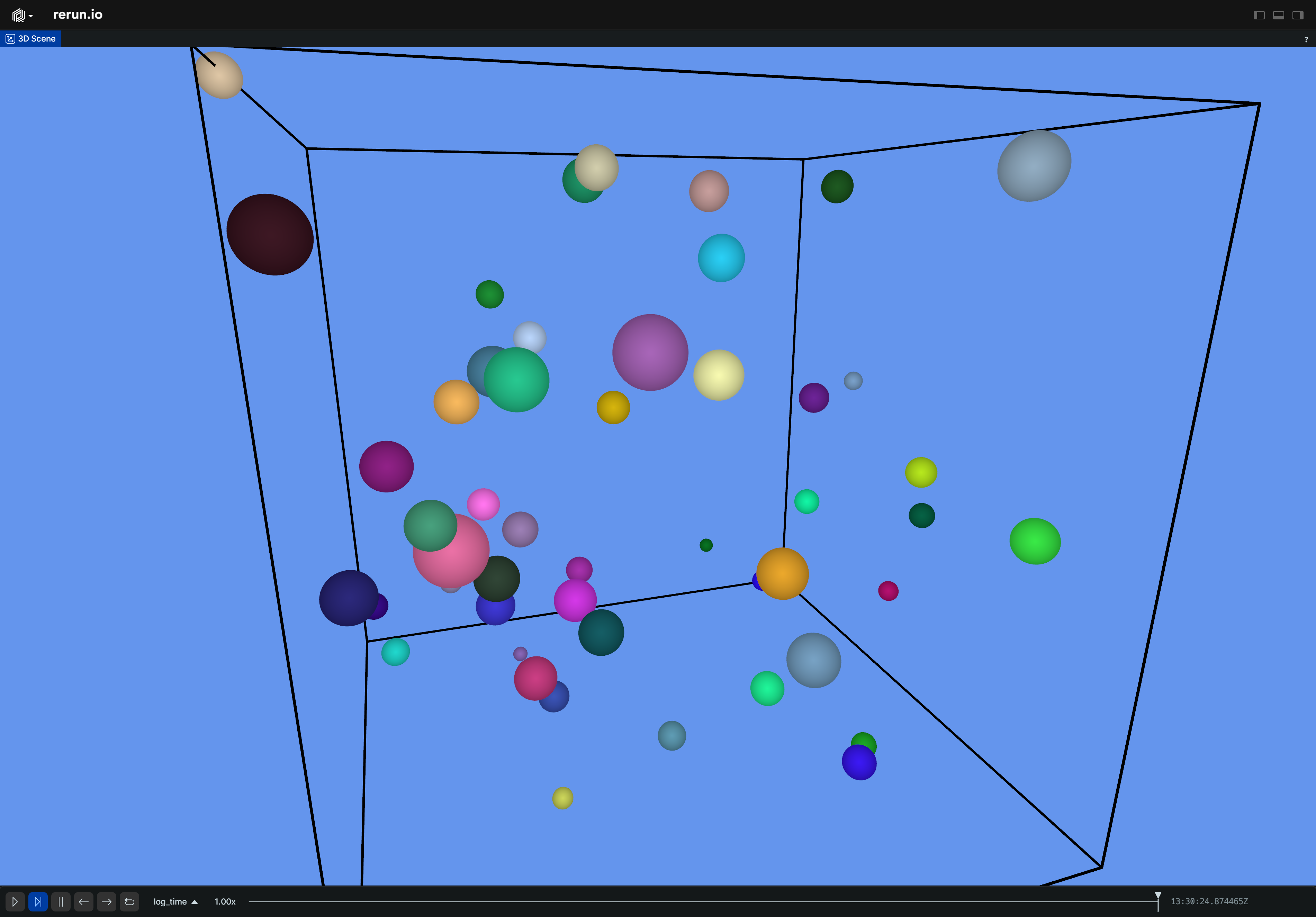
Example
Use a blueprint to customize a Spatial3DView.:
from numpy.random import default_rng

import rerun as rr
import rerun.blueprint as rrb

rr.init("rerun_example_spatial_3d", spawn=True)

# Create some random points.
rng = default_rng(12345)
positions = rng.uniform(-5, 5, size=[50, 3])
colors = rng.uniform(0, 255, size=[50, 3])
radii = rng.uniform(0.1, 0.5, size=[50])

rr.log("points", rr.Points3D(positions, colors=colors, radii=radii))
rr.log("box", rr.Boxes3D(half_sizes=[5, 5, 5], colors=0))

# Create a Spatial3D view to display the points.
blueprint = rrb.Blueprint(
    rrb.Spatial3DView(
        origin="/",
        name="3D Scene",
        # Set the background color to light blue.
        background=[100, 149, 237],
        # Configure the eye controls.
        eye_controls=rrb.EyeControls3D(
            position=(0.0, 0.0, 2.0),
            look_target=(0.0, 2.0, 0.0),
            eye_up=(-1.0, 0.0, 0.0),
            spin_speed=0.2,
            kind=rrb.Eye3DKind.FirstPerson,
            speed=20.0,
        ),
        # Configure the line grid.
        line_grid=rrb.LineGrid3D(
            # The grid is enabled by default, but you can hide it.
            visible=True,
            spacing=0.1,  # Makes the grid more fine-grained.
            # By default, the plane is inferred from view coordinates setup,
            # but you can set arbitrary planes.
            plane=rr.components.Plane3D.XY.with_distance(-5.0),
            stroke_width=2.0,  # Makes the grid lines twice as thick as usual.
            color=[
                255,
                255,
                255,
                128,
            ],  # Colors the grid a half-transparent white.
        ),
        spatial_information=rrb.SpatialInformation(
            target_frame="tf#/",
            show_axes=True,
            show_bounding_box=True,
        ),
    ),
    collapse_panels=True,
)

rr.send_blueprint(blueprint)
__init__
def __init__(
    *,
    origin: EntityPathLike = "/",
    contents: ViewContentsLike = "$origin/**",
    name: Utf8Like | None = None,
    visible: BoolLike | None = None,
    titlebar: BoolLike | None = None,
    defaults: Iterable[
        AsComponents | Iterable[DescribedComponentBatch]
    ]
    | None = None,
    overrides: Mapping[
        EntityPathLike,
        VisualizerLike | Iterable[VisualizerLike],
    ]
    | None = None,
    background: Background
    | Rgba32Like
    | BackgroundKindLike
    | None = None,
    line_grid: LineGrid3D | BoolLike | None = None,
    spatial_information: SpatialInformation | None = None,
    eye_controls: EyeControls3D | None = None,
    time_ranges: VisibleTimeRanges
    | VisibleTimeRangeLike
    | Sequence[VisibleTimeRangeLike]
    | None = None,
) -> None
Construct a blueprint for a new Spatial3DView view.
| PARAMETER | DESCRIPTION |
|---|---|
origin
|
The
TYPE:
|
contents
|
The contents of the view specified as a query expression. This is either a single expression, or a list of multiple expressions. See rerun.blueprint.archetypes.ViewContents.
TYPE:
|
name
|
The display name of the view.
TYPE:
|
visible
|
Whether this view is visible. Defaults to true if not specified.
TYPE:
|
titlebar
|
Whether this view shows its title bar. The title bar is always shown when the view shares a tab container with other views. Defaults to true if not specified.
TYPE:
|
defaults
|
List of archetypes or (described) component batches to add to the view. When an archetype in the view is missing a component included in this set, the value of default will be used instead of the normal fallback for the visualizer. Note that an archetype's required components typically don't have any effect.
It is recommended to use the archetype's
TYPE:
|
overrides
|
Dictionary of visualizer overrides to apply to the view. The key is the path to the entity where the override should be applied. The value is a list of visualizers which should be enabled for that entity, or a single visualizer. Each visualizer can be configured with arbitrary overrides and mappings. For any entity mentioned in this map, visualizers are no longer added automatically based on the entity's components. Important note: the path must be a fully qualified entity path starting at the root. The override paths
do not yet support
TYPE:
|
background
|
Configuration for the background of the view.
TYPE:
|
line_grid
|
Configuration for the 3D line grid.
TYPE:
|
spatial_information
|
Configuration of debug drawing in the 3D view.
TYPE:
|
eye_controls
|
Configuration for the 3D eye
TYPE:
|
time_ranges
|
Configures which range on each timeline is shown by this view (unless specified differently per entity). If not specified, the default is to show the latest state of each component. If a timeline is specified more than once, the first entry will be used.
TYPE:
|
blueprint_path
def blueprint_path() -> str
The blueprint path where this view will be logged.
Note that although this is an EntityPath, is scoped to the blueprint tree and
not a part of the regular data hierarchy.
SpatialInformation
Bases: Archetype
Archetype: Configures spatial view properties.
⚠️ This type is unstable and may change significantly in a way that the data won't be backwards compatible.
__init__
def __init__(
    target_frame: Utf8Like,
    *,
    show_bounding_box: BoolLike | None = None,
    show_axes: BoolLike | None = None,
    axes: ViewCoordinatesLike | None = None,
) -> None
Create a new instance of the SpatialInformation archetype.
| PARAMETER | DESCRIPTION |
|---|---|
target_frame
|
The target reference frame for all transformations. Defaults to the coordinate frame used by the space origin entity.
TYPE:
|
show_bounding_box
|
Whether the bounding box should be shown.
TYPE:
|
show_axes
|
Whether axes should be shown at the origin.
TYPE:
|
axes
|
Controls the orientation of the axes in a 3D view; it has no effect in a 2D view. This determines the 3D eye orientation, navigation, and default grid plane. The three directions are always ordered as [x, y, z] and specify where each positive axis points. For example, [Right, Down, Forward] means that +X points right, +Y points down, and +Z points forward. When this property is unset, a 3D view first uses This property is hidden from the selection panel for 2D views. ⚠ Rerun does not yet support left-handed coordinate systems.
TYPE:
|
cleared
classmethod
def cleared() -> SpatialInformation
Clear all the fields of a SpatialInformation.
from_fields
classmethod
def from_fields(
    *,
    clear_unset: bool = False,
    target_frame: Utf8Like | None = None,
    show_bounding_box: BoolLike | None = None,
    show_axes: BoolLike | None = None,
    axes: ViewCoordinatesLike | None = None,
) -> SpatialInformation
Update only some specific fields of a SpatialInformation.
| PARAMETER | DESCRIPTION |
|---|---|
clear_unset
|
If true, all unspecified fields will be explicitly cleared.
TYPE:
|
target_frame
|
The target reference frame for all transformations. Defaults to the coordinate frame used by the space origin entity.
TYPE:
|
show_bounding_box
|
Whether the bounding box should be shown.
TYPE:
|
show_axes
|
Whether axes should be shown at the origin.
TYPE:
|
axes
|
Controls the orientation of the axes in a 3D view; it has no effect in a 2D view. This determines the 3D eye orientation, navigation, and default grid plane. The three directions are always ordered as [x, y, z] and specify where each positive axis points. For example, [Right, Down, Forward] means that +X points right, +Y points down, and +Z points forward. When this property is unset, a 3D view first uses This property is hidden from the selection panel for 2D views. ⚠ Rerun does not yet support left-handed coordinate systems.
TYPE:
|
StateTimelineView
Bases: View
View: A view for displaying state transitions over time, for use with archetypes.StateChange.
⚠️ This type is unstable and may change significantly in a way that the data won't be backwards compatible.
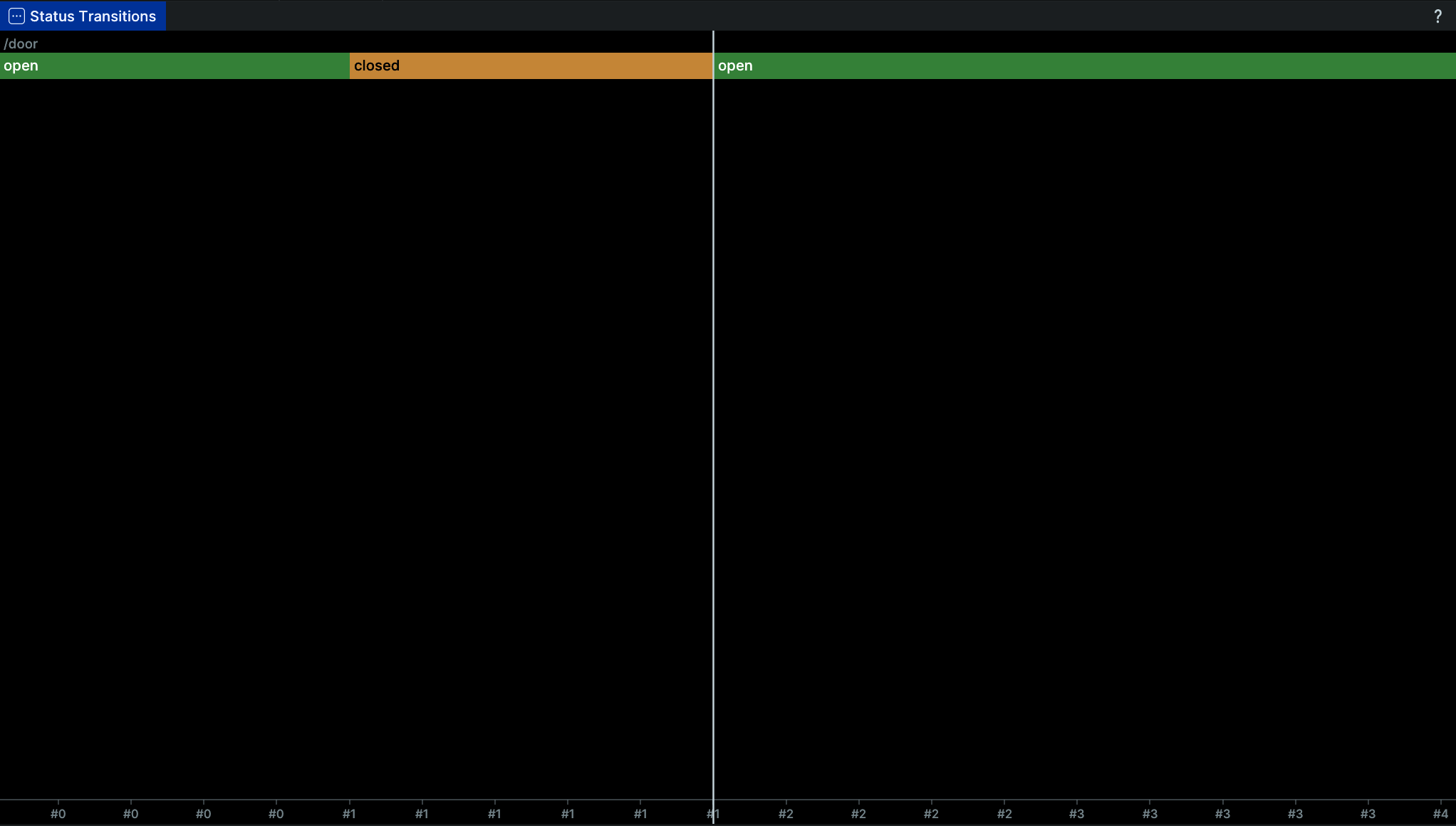
Example
Use a blueprint to show a StateTimelineView.:
# Use a blueprint to show a StateTimelineView.

import rerun as rr
import rerun.blueprint as rrb

rr.init("rerun_example_state_timeline", spawn=True)

rr.set_time("step", sequence=0)
rr.log("door", rr.StateChange(state="open"))

rr.set_time("step", sequence=1)
rr.log("door", rr.StateChange(state="closed"))

rr.set_time("step", sequence=2)
rr.log("door", rr.StateChange(state="open"))

# Create a state timeline view to display the state transitions.
blueprint = rrb.Blueprint(
    rrb.StateTimelineView(
        origin="/",
        name="State Transitions",
    ),
    collapse_panels=True,
)

rr.send_blueprint(blueprint)
__init__
def __init__(
    *,
    origin: EntityPathLike = "/",
    contents: ViewContentsLike = "$origin/**",
    name: Utf8Like | None = None,
    visible: BoolLike | None = None,
    titlebar: BoolLike | None = None,
    defaults: Iterable[
        AsComponents | Iterable[DescribedComponentBatch]
    ]
    | None = None,
    overrides: Mapping[
        EntityPathLike,
        VisualizerLike | Iterable[VisualizerLike],
    ]
    | None = None,
    time_view: TimeAxis | None = None,
    time_ranges: VisibleTimeRanges
    | VisibleTimeRangeLike
    | Sequence[VisibleTimeRangeLike]
    | None = None,
) -> None
Construct a blueprint for a new StateTimelineView view.
| PARAMETER | DESCRIPTION |
|---|---|
origin
|
The
TYPE:
|
contents
|
The contents of the view specified as a query expression. This is either a single expression, or a list of multiple expressions. See rerun.blueprint.archetypes.ViewContents.
TYPE:
|
name
|
The display name of the view.
TYPE:
|
visible
|
Whether this view is visible. Defaults to true if not specified.
TYPE:
|
titlebar
|
Whether this view shows its title bar. The title bar is always shown when the view shares a tab container with other views. Defaults to true if not specified.
TYPE:
|
defaults
|
List of archetypes or (described) component batches to add to the view. When an archetype in the view is missing a component included in this set, the value of default will be used instead of the normal fallback for the visualizer. Note that an archetype's required components typically don't have any effect.
It is recommended to use the archetype's
TYPE:
|
overrides
|
Dictionary of visualizer overrides to apply to the view. The key is the path to the entity where the override should be applied. The value is a list of visualizers which should be enabled for that entity, or a single visualizer. Each visualizer can be configured with arbitrary overrides and mappings. For any entity mentioned in this map, visualizers are no longer added automatically based on the entity's components. Important note: the path must be a fully qualified entity path starting at the root. The override paths
do not yet support
TYPE:
|
time_view
|
Configures the horizontal time axis of the state timeline.
TYPE:
|
time_ranges
|
Configures which range of states on each timeline is displayed, unless specified differently per entity. This filters the displayed states without changing the axis window configured by
TYPE:
|
blueprint_path
def blueprint_path() -> str
The blueprint path where this view will be logged.
Note that although this is an EntityPath, is scoped to the blueprint tree and
not a part of the regular data hierarchy.
TableBlueprint
dataclass
Configure layouts and segment previews for a catalog table.
This configures a table, not a Viewer viewport Blueprint.
Save it as an .rbl file and register its server-accessible URI with
TableEntry.register_blueprint(uri) or DatasetEntry.register_blueprint(uri, segment_table=True).
See Configure table layouts and segment previews for the full workflow.
| PARAMETER | DESCRIPTION |
|---|---|
table_layout
|
Row-and-column layout, available by default.
TYPE:
|
card_layout
|
Card layout, disabled unless configured.
TYPE:
|
default_layout
|
Initial layout:
TYPE:
|
column_display_mode
|
Column-name formatting in both layouts; defaults to compact formatting.
Explicit
TYPE:
|
previews_config
|
Timeline, play state, and playback speed shared by every
TYPE:
|
filters
|
|
sort_by
|
Source column the rows are sorted by, with an optional direction.
Without a direction the viewer sorts ascending.
Use |
save
Tabs
Bases: Container
A tab container.
__init__
def __init__(
    *args: Container | View,
    contents: Iterable[Container | View] | None = None,
    active_tab: int | str | None = None,
    name: Utf8Like | None = None,
    visible: BoolLike | None = None,
) -> None
Construct a new tab container.
| PARAMETER | DESCRIPTION |
|---|---|
*args
|
All positional arguments are forwarded to the |
contents
|
The contents of the container. Each item in the iterable must be a |
active_tab
|
The index or name of the active tab. |
name
|
The name of the container
TYPE:
|
visible
|
Whether this container is visible. Defaults to true if not specified.
TYPE:
|
blueprint_path
def blueprint_path() -> str
The blueprint path where this view will be logged.
Note that although this is an EntityPath, is scoped to the blueprint tree and
not a part of the regular data hierarchy.
TensorScalarMapping
Bases: Archetype
Archetype: Configures how tensor scalars are mapped to color.
⚠️ This type is unstable and may change significantly in a way that the data won't be backwards compatible.
__init__
def __init__(
    *,
    mag_filter: MagnificationFilterLike | None = None,
    colormap: ColormapLike | None = None,
    gamma: Float32Like | None = None,
) -> None
Create a new instance of the TensorScalarMapping archetype.
| PARAMETER | DESCRIPTION |
|---|---|
mag_filter
|
Filter used when zooming in on the tensor. Note that the filter is applied to the scalar values before they are mapped to color.
TYPE:
|
colormap
|
How scalar values map to colors.
TYPE:
|
gamma
|
Gamma exponent applied to normalized values before mapping to color. Raises the normalized values to the power of this value before mapping to color. Acts like an inverse brightness. Defaults to 1.0. The final value for display is set as:
TYPE:
|
cleared
classmethod
def cleared() -> TensorScalarMapping
Clear all the fields of a TensorScalarMapping.
from_fields
classmethod
def from_fields(
    *,
    clear_unset: bool = False,
    mag_filter: MagnificationFilterLike | None = None,
    colormap: ColormapLike | None = None,
    gamma: Float32Like | None = None,
) -> TensorScalarMapping
Update only some specific fields of a TensorScalarMapping.
| PARAMETER | DESCRIPTION |
|---|---|
clear_unset
|
If true, all unspecified fields will be explicitly cleared.
TYPE:
|
mag_filter
|
Filter used when zooming in on the tensor. Note that the filter is applied to the scalar values before they are mapped to color.
TYPE:
|
colormap
|
How scalar values map to colors.
TYPE:
|
gamma
|
Gamma exponent applied to normalized values before mapping to color. Raises the normalized values to the power of this value before mapping to color. Acts like an inverse brightness. Defaults to 1.0. The final value for display is set as:
TYPE:
|
TensorSliceSelection
Bases: Archetype
Archetype: Specifies a 2D slice of a tensor.
⚠️ This type is unstable and may change significantly in a way that the data won't be backwards compatible.
__init__
def __init__(
    *,
    width: TensorDimensionSelectionLike | None = None,
    height: TensorDimensionSelectionLike | None = None,
    indices: TensorDimensionIndexSelectionArrayLike
    | None = None,
    slider: TensorDimensionIndexSliderArrayLike
    | None = None,
) -> None
Create a new instance of the TensorSliceSelection archetype.
| PARAMETER | DESCRIPTION |
|---|---|
width
|
Which dimension to map to width. If not specified, the height will be determined automatically based on the name and index of the dimension.
TYPE:
|
height
|
Which dimension to map to height. If not specified, the height will be determined automatically based on the name and index of the dimension.
TYPE:
|
indices
|
Selected indices for all other dimensions. If any of the here listed dimensions is equal to
TYPE:
|
slider
|
Any dimension listed here will have a slider for the index. Edits to the sliders will directly manipulate dimensions on the
TYPE:
|
cleared
classmethod
def cleared() -> TensorSliceSelection
Clear all the fields of a TensorSliceSelection.
from_fields
classmethod
def from_fields(
    *,
    clear_unset: bool = False,
    width: TensorDimensionSelectionLike | None = None,
    height: TensorDimensionSelectionLike | None = None,
    indices: TensorDimensionIndexSelectionArrayLike
    | None = None,
    slider: TensorDimensionIndexSliderArrayLike
    | None = None,
) -> TensorSliceSelection
Update only some specific fields of a TensorSliceSelection.
| PARAMETER | DESCRIPTION |
|---|---|
clear_unset
|
If true, all unspecified fields will be explicitly cleared.
TYPE:
|
width
|
Which dimension to map to width. If not specified, the height will be determined automatically based on the name and index of the dimension.
TYPE:
|
height
|
Which dimension to map to height. If not specified, the height will be determined automatically based on the name and index of the dimension.
TYPE:
|
indices
|
Selected indices for all other dimensions. If any of the here listed dimensions is equal to
TYPE:
|
slider
|
Any dimension listed here will have a slider for the index. Edits to the sliders will directly manipulate dimensions on the
TYPE:
|
TensorView
Bases: View
View: A view on a tensor of any dimensionality.
⚠️ This type is unstable and may change significantly in a way that the data won't be backwards compatible.
Example
Use a blueprint to create a TensorView.:
import numpy as np

import rerun as rr
import rerun.blueprint as rrb

rr.init("rerun_example_tensor", spawn=True)

tensor = np.random.randint(0, 256, (32, 240, 320, 3), dtype=np.uint8)
rr.log("tensor", rr.Tensor(tensor, dim_names=("batch", "x", "y", "channel")))

blueprint = rrb.Blueprint(
    rrb.TensorView(
        origin="tensor",
        name="Tensor",
        # Explicitly pick which dimensions to show.
        slice_selection=rrb.TensorSliceSelection(
            # Use the first dimension as width.
            width=1,
            # Use the second dimension as height and invert it.
            height=rr.TensorDimensionSelection(dimension=2, invert=True),
            # Set which indices to show for the other dimensions.
            indices=[
                rr.TensorDimensionIndexSelection(dimension=2, index=4),
                rr.TensorDimensionIndexSelection(dimension=3, index=5),
            ],
            # Show a slider for dimension 2 only. If not specified, all
            # dimensions in `indices` will have sliders.
            slider=[2],
        ),
        # Set a scalar mapping with a custom colormap, gamma and
        # magnification filter.
        scalar_mapping=rrb.TensorScalarMapping(
            colormap="turbo", gamma=1.5, mag_filter="linear"
        ),
        # Fill the view, ignoring aspect ratio.
        view_fit="fill",
    ),
    collapse_panels=True,
)
rr.send_blueprint(blueprint)
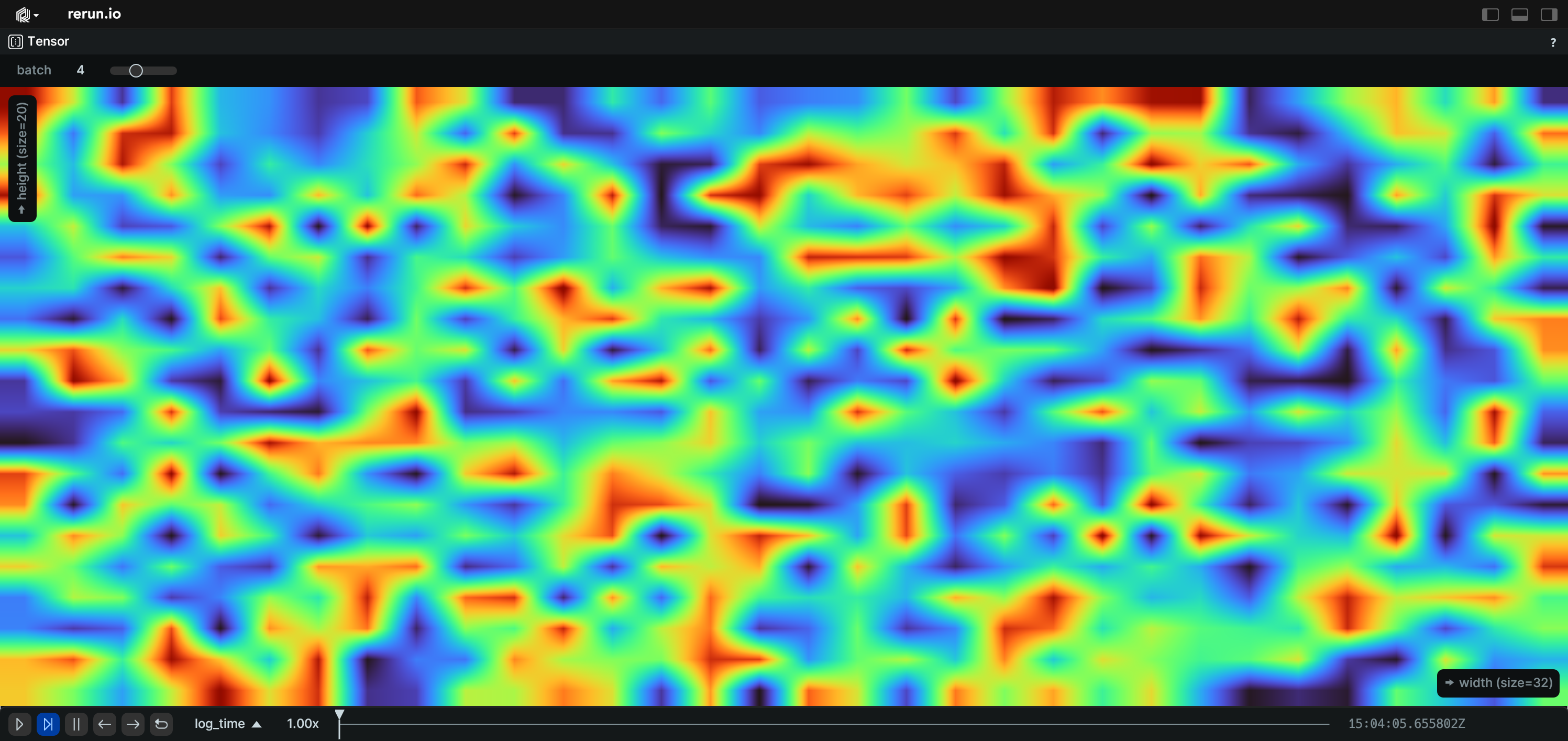
__init__
def __init__(
    *,
    origin: EntityPathLike = "/",
    contents: ViewContentsLike = "$origin/**",
    name: Utf8Like | None = None,
    visible: BoolLike | None = None,
    titlebar: BoolLike | None = None,
    defaults: Iterable[
        AsComponents | Iterable[DescribedComponentBatch]
    ]
    | None = None,
    overrides: Mapping[
        EntityPathLike,
        VisualizerLike | Iterable[VisualizerLike],
    ]
    | None = None,
    slice_selection: TensorSliceSelection | None = None,
    scalar_mapping: TensorScalarMapping | None = None,
    view_fit: TensorViewFit | ViewFitLike | None = None,
) -> None
Construct a blueprint for a new TensorView view.
| PARAMETER | DESCRIPTION |
|---|---|
origin
|
The
TYPE:
|
contents
|
The contents of the view specified as a query expression. This is either a single expression, or a list of multiple expressions. See rerun.blueprint.archetypes.ViewContents.
TYPE:
|
name
|
The display name of the view.
TYPE:
|
visible
|
Whether this view is visible. Defaults to true if not specified.
TYPE:
|
titlebar
|
Whether this view shows its title bar. The title bar is always shown when the view shares a tab container with other views. Defaults to true if not specified.
TYPE:
|
defaults
|
List of archetypes or (described) component batches to add to the view. When an archetype in the view is missing a component included in this set, the value of default will be used instead of the normal fallback for the visualizer. Note that an archetype's required components typically don't have any effect.
It is recommended to use the archetype's
TYPE:
|
overrides
|
Dictionary of visualizer overrides to apply to the view. The key is the path to the entity where the override should be applied. The value is a list of visualizers which should be enabled for that entity, or a single visualizer. Each visualizer can be configured with arbitrary overrides and mappings. For any entity mentioned in this map, visualizers are no longer added automatically based on the entity's components. Important note: the path must be a fully qualified entity path starting at the root. The override paths
do not yet support
TYPE:
|
slice_selection
|
How to select the slice of the tensor to show.
TYPE:
|
scalar_mapping
|
Configures how scalars are mapped to color.
TYPE:
|
view_fit
|
Configures how the selected slice should fit into the view.
TYPE:
|
blueprint_path
def blueprint_path() -> str
The blueprint path where this view will be logged.
Note that although this is an EntityPath, is scoped to the blueprint tree and
not a part of the regular data hierarchy.
TextDocumentView
Bases: View
View: A view of a single text document, for use with archetypes.TextDocument.
⚠️ This type is unstable and may change significantly in a way that the data won't be backwards compatible.
Example
Use a blueprint to show a text document.:
import rerun as rr
import rerun.blueprint as rrb
rr.init("rerun_example_text_document", spawn=True)
rr.log(
"markdown",
rr.TextDocument(
'''
# Hello Markdown!
[Click here to see the raw text](recording://markdown:Text).
Basic formatting:
| **Feature** | **Alternative** |
| ----------------- | --------------- |
| Plain | |
| *italics* | _italics_ |
| **bold** | __bold__ |
| ~~strikethrough~~ | |
| `inline code` | |
----------------------------------
## Support
- [x] [Commonmark](https://commonmark.org/help/) support
- [x] GitHub-style strikethrough, tables, and checkboxes
- Basic syntax highlighting for:
- [x] C and C++
- [x] Python
- [x] Rust
- [ ] Other languages
## Links
You can link to [an entity](recording://markdown),
a [specific instance of an entity](recording://markdown[#0]),
or a [specific component](recording://markdown:Text).
Of course you can also have [normal https links](https://github.com/rerun-io/rerun), e.g. <https://rerun.io>.
## Image

'''.strip(),
media_type=rr.MediaType.MARKDOWN,
),
)
# Create a text view that displays the markdown.
blueprint = rrb.Blueprint(rrb.TextDocumentView(origin="markdown", name="Markdown example"), collapse_panels=True)
rr.send_blueprint(blueprint)
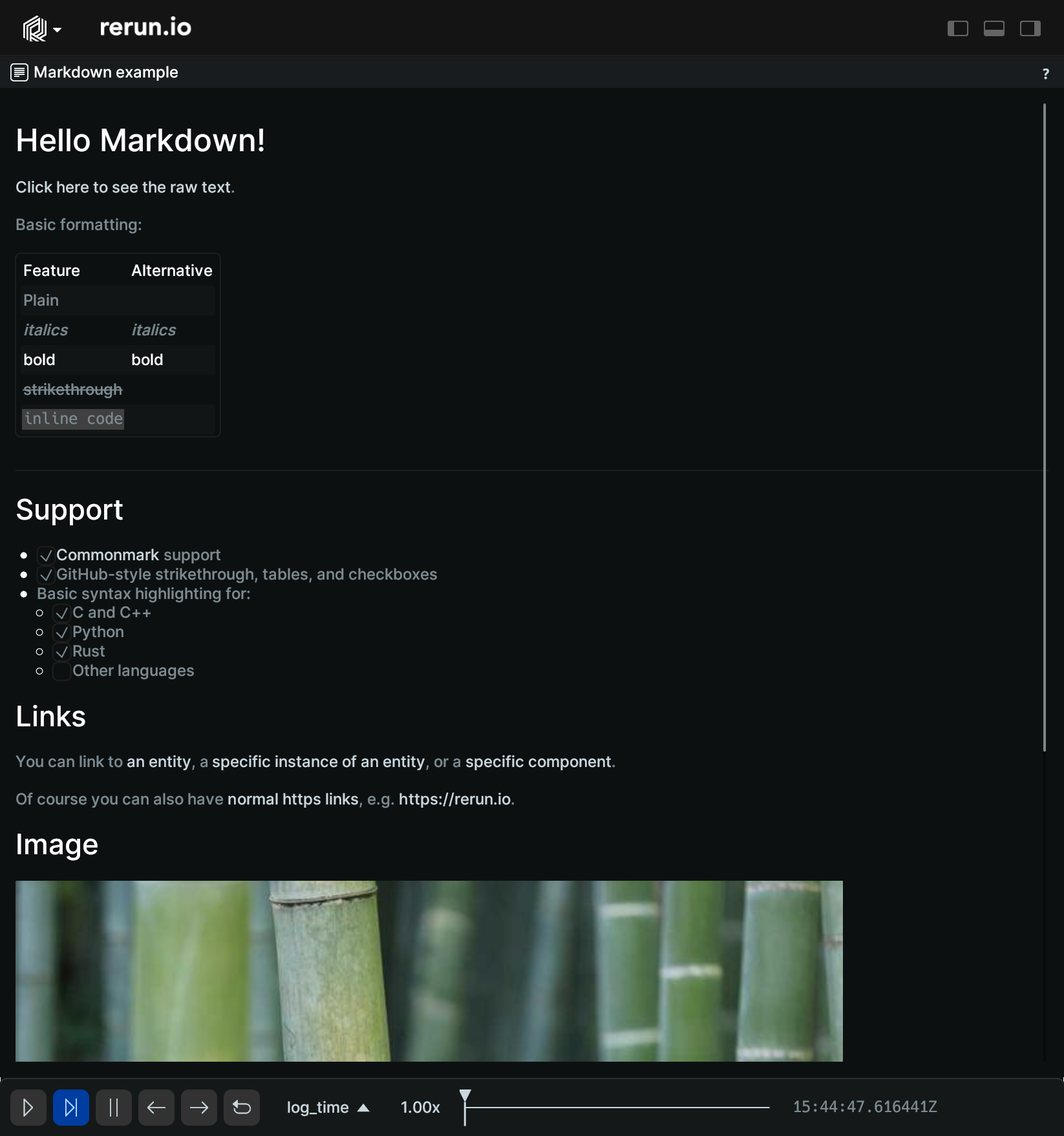
__init__
def __init__(
    *,
    origin: EntityPathLike = "/",
    contents: ViewContentsLike = "$origin/**",
    name: Utf8Like | None = None,
    visible: BoolLike | None = None,
    titlebar: BoolLike | None = None,
    defaults: Iterable[
        AsComponents | Iterable[DescribedComponentBatch]
    ]
    | None = None,
    overrides: Mapping[
        EntityPathLike,
        VisualizerLike | Iterable[VisualizerLike],
    ]
    | None = None,
    format_options: TextDocumentFormat | None = None,
) -> None
Construct a blueprint for a new TextDocumentView view.
| PARAMETER | DESCRIPTION |
|---|---|
origin
|
The
TYPE:
|
contents
|
The contents of the view specified as a query expression. This is either a single expression, or a list of multiple expressions. See rerun.blueprint.archetypes.ViewContents.
TYPE:
|
name
|
The display name of the view.
TYPE:
|
visible
|
Whether this view is visible. Defaults to true if not specified.
TYPE:
|
titlebar
|
Whether this view shows its title bar. The title bar is always shown when the view shares a tab container with other views. Defaults to true if not specified.
TYPE:
|
defaults
|
List of archetypes or (described) component batches to add to the view. When an archetype in the view is missing a component included in this set, the value of default will be used instead of the normal fallback for the visualizer. Note that an archetype's required components typically don't have any effect.
It is recommended to use the archetype's
TYPE:
|
overrides
|
Dictionary of visualizer overrides to apply to the view. The key is the path to the entity where the override should be applied. The value is a list of visualizers which should be enabled for that entity, or a single visualizer. Each visualizer can be configured with arbitrary overrides and mappings. For any entity mentioned in this map, visualizers are no longer added automatically based on the entity's components. Important note: the path must be a fully qualified entity path starting at the root. The override paths
do not yet support
TYPE:
|
format_options
|
Formatting options for the text document view.
TYPE:
|
blueprint_path
def blueprint_path() -> str
The blueprint path where this view will be logged.
Note that although this is an EntityPath, is scoped to the blueprint tree and
not a part of the regular data hierarchy.
TextLogColumns
Bases: Archetype
Archetype: Configuration of the text log columns.
⚠️ This type is unstable and may change significantly in a way that the data won't be backwards compatible.
__init__
def __init__(
    *,
    timeline_columns: TimelineColumnArrayLike | None = None,
    text_log_columns: TextLogColumnArrayLike | None = None,
) -> None
Create a new instance of the TextLogColumns archetype.
| PARAMETER | DESCRIPTION |
|---|---|
timeline_columns
|
What timeline columns to show. Defaults to displaying only the active timeline.
TYPE:
|
text_log_columns
|
All columns to be displayed. Defaults to showing all text log column kinds in the order of the enum.
TYPE:
|
from_fields
classmethod
def from_fields(
    *,
    clear_unset: bool = False,
    timeline_columns: TimelineColumnArrayLike | None = None,
    text_log_columns: TextLogColumnArrayLike | None = None,
) -> TextLogColumns
Update only some specific fields of a TextLogColumns.
| PARAMETER | DESCRIPTION |
|---|---|
clear_unset
|
If true, all unspecified fields will be explicitly cleared.
TYPE:
|
timeline_columns
|
What timeline columns to show. Defaults to displaying only the active timeline.
TYPE:
|
text_log_columns
|
All columns to be displayed. Defaults to showing all text log column kinds in the order of the enum.
TYPE:
|
TextLogFormat
Bases: Archetype
Archetype: Configuration of the text log rows.
⚠️ This type is unstable and may change significantly in a way that the data won't be backwards compatible.
__init__
def __init__(*, monospace_body: BoolLike | None = None) -> None
Create a new instance of the TextLogFormat archetype.
| PARAMETER | DESCRIPTION |
|---|---|
monospace_body
|
Whether to use a monospace font for the log message body. Defaults to not being enabled.
TYPE:
|
from_fields
classmethod
def from_fields(
    *,
    clear_unset: bool = False,
    monospace_body: BoolLike | None = None,
) -> TextLogFormat
Update only some specific fields of a TextLogFormat.
| PARAMETER | DESCRIPTION |
|---|---|
clear_unset
|
If true, all unspecified fields will be explicitly cleared.
TYPE:
|
monospace_body
|
Whether to use a monospace font for the log message body. Defaults to not being enabled.
TYPE:
|
TextLogRows
Bases: Archetype
Archetype: Configuration of the text log rows.
⚠️ This type is unstable and may change significantly in a way that the data won't be backwards compatible.
__init__
def __init__(
    *, filter_by_log_level: Utf8ArrayLike | None = None
) -> None
Create a new instance of the TextLogRows archetype.
| PARAMETER | DESCRIPTION |
|---|---|
filter_by_log_level
|
Log levels to display. Defaults to showing all logged levels.
TYPE:
|
from_fields
classmethod
def from_fields(
    *,
    clear_unset: bool = False,
    filter_by_log_level: Utf8ArrayLike | None = None,
) -> TextLogRows
Update only some specific fields of a TextLogRows.
| PARAMETER | DESCRIPTION |
|---|---|
clear_unset
|
If true, all unspecified fields will be explicitly cleared.
TYPE:
|
filter_by_log_level
|
Log levels to display. Defaults to showing all logged levels.
TYPE:
|
TextLogView
Bases: View
View: A view of a text log, for use with archetypes.TextLog.
⚠️ This type is unstable and may change significantly in a way that the data won't be backwards compatible.
Example
Use a blueprint to show a TextLogView.:
import rerun as rr
import rerun.blueprint as rrb

rr.init("rerun_example_text_log", spawn=True)

rr.set_time("time", sequence=0)
rr.log(
    "log/status", rr.TextLog("Application started.", level=rr.TextLogLevel.INFO)
)
rr.set_time("time", sequence=5)
rr.log("log/other", rr.TextLog("A warning.", level=rr.TextLogLevel.WARN))
for i in range(10):
    rr.set_time("time", sequence=i)
    rr.log(
        "log/status",
        rr.TextLog(f"Processing item {i}.", level=rr.TextLogLevel.INFO),
    )

# Create a text view that displays all logs.
blueprint = rrb.Blueprint(
    rrb.TextLogView(
        origin="/log",
        name="Text Logs",
        columns=rrb.TextLogColumns(
            timeline_columns=["time"],
            text_log_columns=["loglevel", "entitypath", "body"],
        ),
        rows=rrb.TextLogRows(
            filter_by_log_level=["INFO", "WARN", "ERROR"],
        ),
        format_options=rrb.TextLogFormat(
            monospace_body=False,
        ),
    ),
    collapse_panels=True,
)

rr.send_blueprint(blueprint)
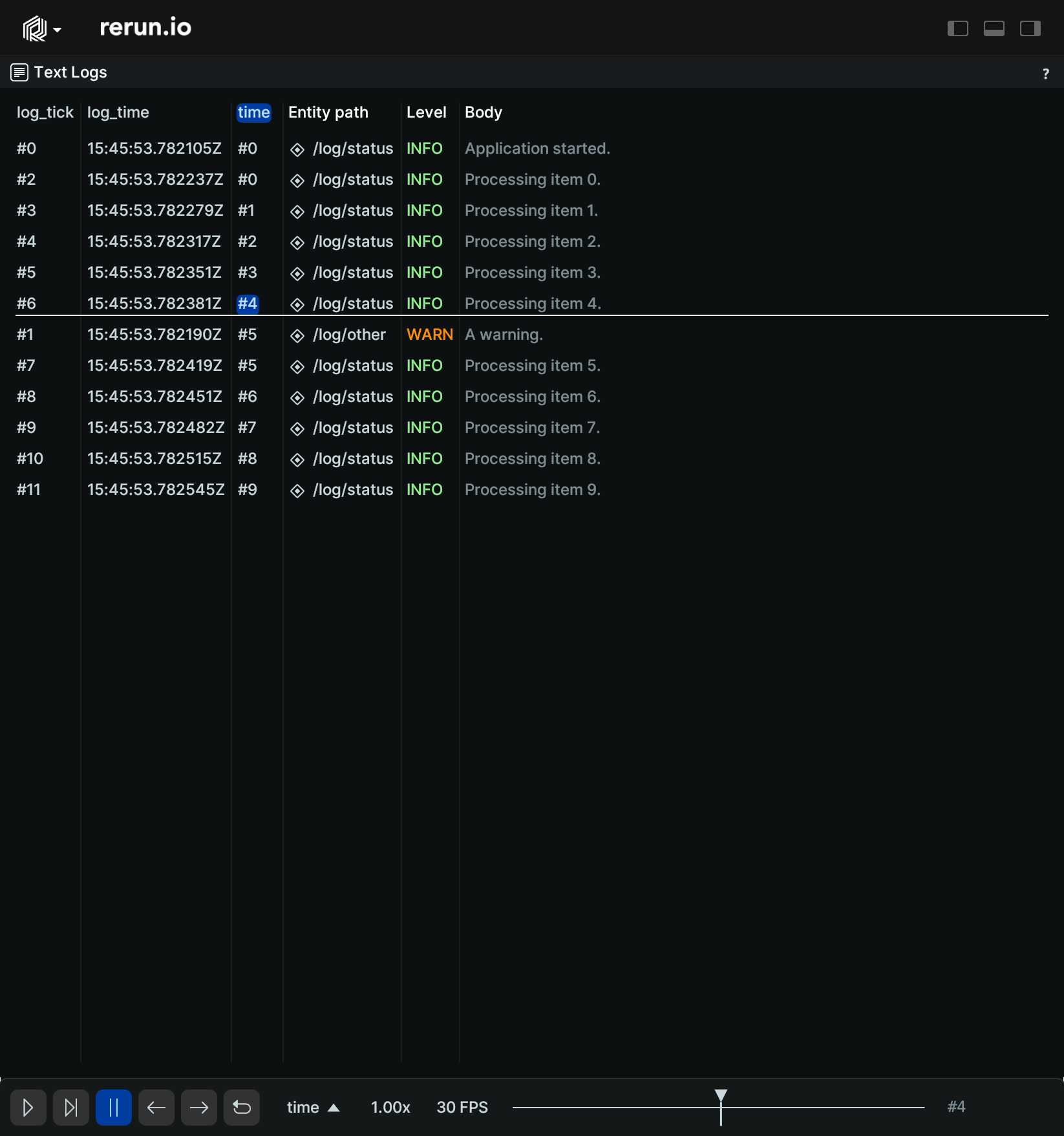
__init__
def __init__(
    *,
    origin: EntityPathLike = "/",
    contents: ViewContentsLike = "$origin/**",
    name: Utf8Like | None = None,
    visible: BoolLike | None = None,
    titlebar: BoolLike | None = None,
    defaults: Iterable[
        AsComponents | Iterable[DescribedComponentBatch]
    ]
    | None = None,
    overrides: Mapping[
        EntityPathLike,
        VisualizerLike | Iterable[VisualizerLike],
    ]
    | None = None,
    columns: TextLogColumns | None = None,
    rows: TextLogRows | None = None,
    format_options: TextLogFormat | None = None,
) -> None
Construct a blueprint for a new TextLogView view.
| PARAMETER | DESCRIPTION |
|---|---|
origin
|
The
TYPE:
|
contents
|
The contents of the view specified as a query expression. This is either a single expression, or a list of multiple expressions. See rerun.blueprint.archetypes.ViewContents.
TYPE:
|
name
|
The display name of the view.
TYPE:
|
visible
|
Whether this view is visible. Defaults to true if not specified.
TYPE:
|
titlebar
|
Whether this view shows its title bar. The title bar is always shown when the view shares a tab container with other views. Defaults to true if not specified.
TYPE:
|
defaults
|
List of archetypes or (described) component batches to add to the view. When an archetype in the view is missing a component included in this set, the value of default will be used instead of the normal fallback for the visualizer. Note that an archetype's required components typically don't have any effect.
It is recommended to use the archetype's
TYPE:
|
overrides
|
Dictionary of visualizer overrides to apply to the view. The key is the path to the entity where the override should be applied. The value is a list of visualizers which should be enabled for that entity, or a single visualizer. Each visualizer can be configured with arbitrary overrides and mappings. For any entity mentioned in this map, visualizers are no longer added automatically based on the entity's components. Important note: the path must be a fully qualified entity path starting at the root. The override paths
do not yet support
TYPE:
|
columns
|
The columns to display in the view.
TYPE:
|
rows
|
Filter for rows to display in the view.
TYPE:
|
format_options
|
Formatting options for the text log view.
TYPE:
|
blueprint_path
def blueprint_path() -> str
The blueprint path where this view will be logged.
Note that although this is an EntityPath, is scoped to the blueprint tree and
not a part of the regular data hierarchy.
TimeAxis
Bases: Archetype
Archetype: Configuration for the horizontal time axis of time series and state timeline views.
⚠️ This type is unstable and may change significantly in a way that the data won't be backwards compatible.
__init__
def __init__(
    *,
    link: LinkAxisLike | None = None,
    view_range: TimeRangeLike | None = None,
    zoom_lock: BoolLike | None = None,
) -> None
Create a new instance of the TimeAxis archetype.
| PARAMETER | DESCRIPTION |
|---|---|
link
|
How should the horizontal time axis be linked across multiple views? Linking with global uses the shared global view range instead of this view's
TYPE:
|
view_range
|
The view range of the horizontal/X/time axis.
TYPE:
|
zoom_lock
|
If enabled, the X axis range will remain locked to the specified range when zooming.
TYPE:
|
from_fields
classmethod
def from_fields(
    *,
    clear_unset: bool = False,
    link: LinkAxisLike | None = None,
    view_range: TimeRangeLike | None = None,
    zoom_lock: BoolLike | None = None,
) -> TimeAxis
Update only some specific fields of a TimeAxis.
| PARAMETER | DESCRIPTION |
|---|---|
clear_unset
|
If true, all unspecified fields will be explicitly cleared.
TYPE:
|
link
|
How should the horizontal time axis be linked across multiple views? Linking with global uses the shared global view range instead of this view's
TYPE:
|
view_range
|
The view range of the horizontal/X/time axis.
TYPE:
|
zoom_lock
|
If enabled, the X axis range will remain locked to the specified range when zooming.
TYPE:
|
TimePanel
Bases: Panel
The state of the time panel.
__init__
def __init__(
    *,
    expanded: bool | None = None,
    state: PanelStateLike | None = None,
    timeline: Utf8Like | None = None,
    playback_speed: float | None = None,
    fps: float | None = None,
    play_state: PlayStateLike | None = None,
    loop_mode: LoopModeLike | None = None,
    time_selection: AbsoluteTimeRange | None = None,
) -> None
Construct a new time panel.
| PARAMETER | DESCRIPTION |
|---|---|
expanded
|
Deprecated. Use
TYPE:
|
state
|
Whether the panel is expanded, collapsed, or hidden. Expanded fully shows the panel, collapsed shows a simplified panel, hidden fully hides the panel.
TYPE:
|
timeline
|
What timeline the timepanel should display.
TYPE:
|
playback_speed
|
A time playback speed multiplier.
TYPE:
|
fps
|
Frames per second. Only applicable for sequence timelines.
TYPE:
|
play_state
|
If the time is currently paused, playing, or following.
TYPE:
|
loop_mode
|
How the time should loop. A loop selection only works if there's also a
TYPE:
|
time_selection
|
Selects a range of time on the time panel.
TYPE:
|
blueprint_path
def blueprint_path() -> str
The blueprint path where this view will be logged.
Note that although this is an EntityPath, is scoped to the blueprint tree and
not a part of the regular data hierarchy.
TimeRange
Encoding: Visible time range bounds for a specific timeline.
__init__
def __init__(
    start: TimeRangeBoundaryLike, end: TimeRangeBoundaryLike
) -> None
Create a new instance of the TimeRange encoding.
| PARAMETER | DESCRIPTION |
|---|---|
start
|
Low time boundary for sequence timeline.
TYPE:
|
end
|
High time boundary for sequence timeline.
TYPE:
|
TimeRangeBoundary
Bases: TimeRangeBoundaryExt
Encoding: Left or right boundary of a time range.
inner
class-attribute
instance-attribute
inner: TimeInt | None = field()
Must be one of:
-
CursorRelative (encodings.TimeInt): Boundary is a value relative to the time cursor.
-
Absolute (encodings.TimeInt): Boundary is an absolute value.
-
Infinite (None): The boundary extends to infinity.
kind
class-attribute
instance-attribute
kind: Literal["cursor_relative", "absolute", "infinite"] = (
    field(default="cursor_relative")
)
Possible values:
-
"cursor_relative": Boundary is a value relative to the time cursor.
-
"absolute": Boundary is an absolute value.
-
"infinite": The boundary extends to infinity.
absolute
staticmethod
def absolute(time: TimeInt) -> TimeRangeBoundary
def absolute(*, seq: int) -> TimeRangeBoundary
def absolute(*, seconds: float) -> TimeRangeBoundary
def absolute(*, nanos: int) -> TimeRangeBoundary
def absolute(
    time: TimeInt | None = None,
    *,
    seq: int | None = None,
    seconds: float | None = None,
    nanos: int | None = None,
) -> TimeRangeBoundary
Boundary that is at an absolute time.
Exactly one of 'time', 'seq', 'seconds', or 'nanos' must be provided.
| PARAMETER | DESCRIPTION |
|---|---|
time
|
Absolute time.
TYPE:
|
seq
|
Absolute time in sequence numbers. Not compatible with temporal timelines.
TYPE:
|
seconds
|
Absolute time in seconds. Interpreted either as a duration or time since unix epoch (depending on timeline type). Not compatible with sequence timelines.
TYPE:
|
nanos
|
Absolute time in nanoseconds. Interpreted either as a duration or time since unix epoch (depending on timeline type). Not compatible with sequence timelines.
TYPE:
|
cursor_relative
staticmethod
def cursor_relative() -> TimeRangeBoundary
def cursor_relative(offset: TimeInt) -> TimeRangeBoundary
def cursor_relative(*, seq: int) -> TimeRangeBoundary
def cursor_relative(*, seconds: float) -> TimeRangeBoundary
def cursor_relative(*, nanos: int) -> TimeRangeBoundary
def cursor_relative(
    offset: TimeInt | None = None,
    *,
    seq: int | None = None,
    seconds: float | None = None,
    nanos: int | None = None,
) -> TimeRangeBoundary
Boundary that is relative to the timeline cursor.
The offset can be positive or negative. An offset of zero (the default) means the cursor time itself.
| PARAMETER | DESCRIPTION |
|---|---|
offset
|
Offset from the cursor time. Mutually exclusive with seq, seconds and nanos.
TYPE:
|
seq
|
Offset in sequence numbers. Use this for sequence timelines. Mutually exclusive with time, seconds and nanos.
TYPE:
|
seconds
|
Offset in seconds. Use this for time based timelines. Mutually exclusive with time, seq and nanos.
TYPE:
|
nanos
|
Offset in nanoseconds. Use this for time based timelines. Mutually exclusive with time, seq and seconds.
TYPE:
|
infinite
staticmethod
def infinite() -> TimeRangeBoundary
Boundary that extends to infinity.
Depending on the context, this can mean the beginning or the end of the timeline.
TimeSeriesView
Bases: View
View: A time series view for scalars over time, for use with archetypes.Scalars.
⚠️ This type is unstable and may change significantly in a way that the data won't be backwards compatible.
Example
Use a blueprint to customize a TimeSeriesView.:
import math

import rerun as rr
import rerun.blueprint as rrb

rr.init("rerun_example_timeseries", spawn=True)

# Log some trigonometric functions
rr.log(
    "trig/sin",
    rr.SeriesLines(colors=[255, 0, 0], names="sin(0.01t)"),
    static=True,
)
rr.log(
    "trig/cos",
    rr.SeriesLines(colors=[0, 255, 0], names="cos(0.01t)"),
    static=True,
)
rr.log(
    "trig/cos_scaled",
    rr.SeriesLines(colors=[0, 0, 255], names="cos(0.01t) scaled"),
    static=True,
)
for t in range(int(math.pi * 4 * 100.0)):
    rr.set_time("timeline0", sequence=t)
    rr.set_time("timeline1", duration=t)
    rr.log("trig/sin", rr.Scalars(math.sin(float(t) / 100.0)))
    rr.log("trig/cos", rr.Scalars(math.cos(float(t) / 100.0)))
    rr.log("trig/cos_scaled", rr.Scalars(math.cos(float(t) / 100.0) * 2.0))

# Create a TimeSeries View
blueprint = rrb.Blueprint(
    rrb.Vertical(
        contents=[
            rrb.TimeSeriesView(
                origin="/trig",
                # Set a custom Y axis.
                axis_y=rrb.ScalarAxis(range=(-1.0, 1.0), zoom_lock=True),
                # Configure plot interaction to show every visible series at the
                # hovered time and keep raw data point markers visible.
                interaction=rrb.PlotInteraction(
                    tooltip_mode="All", points_display="Always"
                ),
                # Configure the legend.
                plot_legend=rrb.PlotLegend(visible=False),
                # Set time different time ranges for different timelines.
                time_ranges=[
                    # Sliding window depending on the time cursor for the
                    # first timeline.
                    rrb.VisibleTimeRange(
                        "timeline0",
                        start=rrb.TimeRangeBoundary.cursor_relative(seq=-100),
                        end=rrb.TimeRangeBoundary.cursor_relative(),
                    ),
                    # Time range from some point to the end of the timeline
                    # for the second timeline.
                    rrb.VisibleTimeRange(
                        "timeline1",
                        start=rrb.TimeRangeBoundary.absolute(seconds=300.0),
                        end=rrb.TimeRangeBoundary.infinite(),
                    ),
                ],
            ),
            rrb.TimeSeriesView(
                origin="/trig",
                axis_x=rrb.TimeAxis(
                    view_range=rr.TimeRange(
                        start=rrb.TimeRangeBoundary.cursor_relative(
                            seconds=-100
                        ),
                        end=rrb.TimeRangeBoundary.cursor_relative(seconds=100),
                    ),
                    zoom_lock=True,
                ),
                # Configure the legend.
                plot_legend=rrb.PlotLegend(visible=True),
                background=rrb.archetypes.PlotBackground(
                    color=[128, 128, 128], show_grid=False
                ),
            ),
        ]
    ),
    collapse_panels=True,
)

rr.send_blueprint(blueprint)
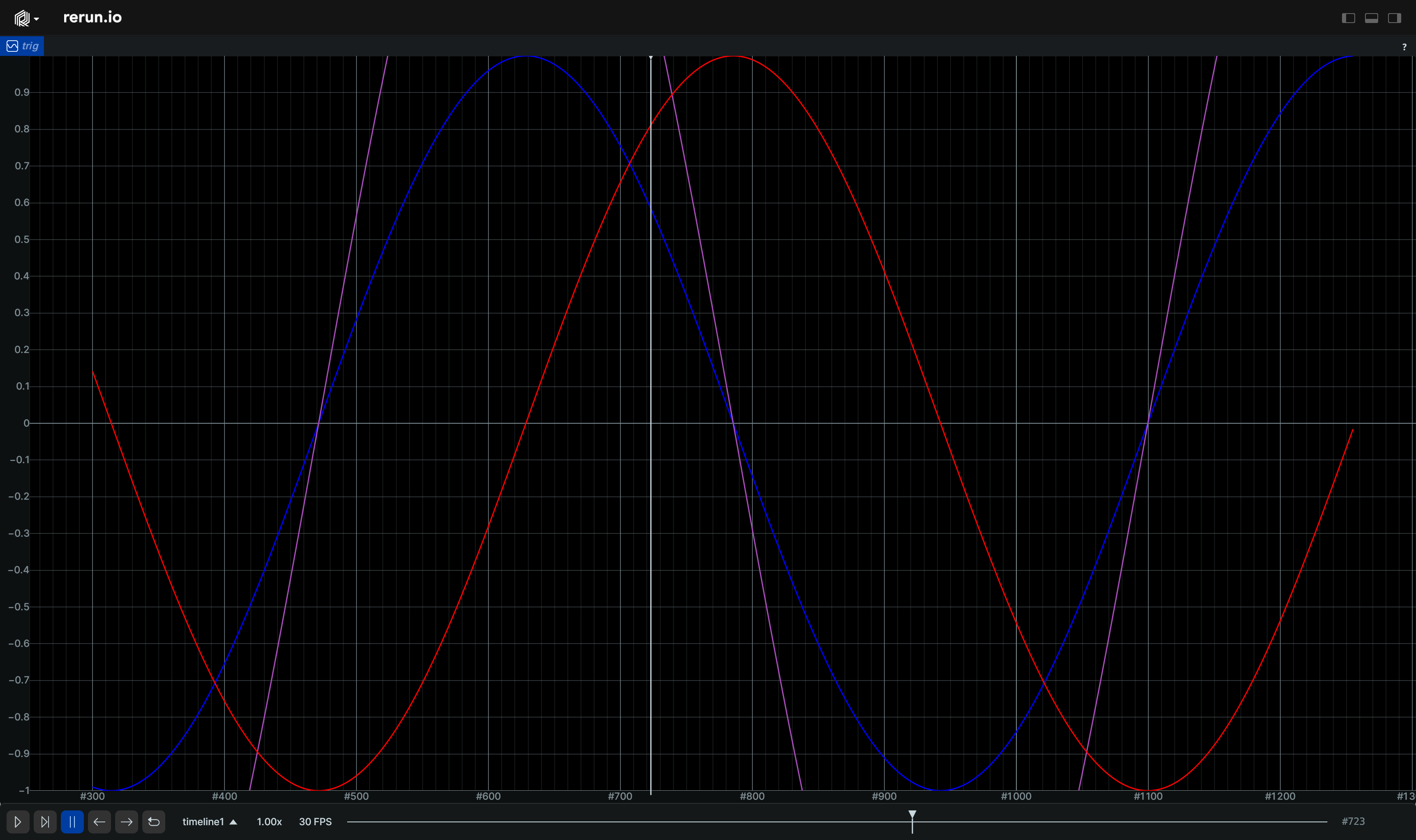
__init__
def __init__(
    *,
    origin: EntityPathLike = "/",
    contents: ViewContentsLike = "$origin/**",
    name: Utf8Like | None = None,
    visible: BoolLike | None = None,
    titlebar: BoolLike | None = None,
    defaults: Iterable[
        AsComponents | Iterable[DescribedComponentBatch]
    ]
    | None = None,
    overrides: Mapping[
        EntityPathLike,
        VisualizerLike | Iterable[VisualizerLike],
    ]
    | None = None,
    axis_x: TimeAxis | None = None,
    axis_y: ScalarAxis | None = None,
    plot_legend: PlotLegend | Corner2D | None = None,
    background: PlotBackground | None = None,
    interaction: PlotInteraction | None = None,
    time_ranges: VisibleTimeRanges
    | VisibleTimeRangeLike
    | Sequence[VisibleTimeRangeLike]
    | None = None,
) -> None
Construct a blueprint for a new TimeSeriesView view.
| PARAMETER | DESCRIPTION |
|---|---|
origin
|
The
TYPE:
|
contents
|
The contents of the view specified as a query expression. This is either a single expression, or a list of multiple expressions. See rerun.blueprint.archetypes.ViewContents.
TYPE:
|
name
|
The display name of the view.
TYPE:
|
visible
|
Whether this view is visible. Defaults to true if not specified.
TYPE:
|
titlebar
|
Whether this view shows its title bar. The title bar is always shown when the view shares a tab container with other views. Defaults to true if not specified.
TYPE:
|
defaults
|
List of archetypes or (described) component batches to add to the view. When an archetype in the view is missing a component included in this set, the value of default will be used instead of the normal fallback for the visualizer. Note that an archetype's required components typically don't have any effect.
It is recommended to use the archetype's
TYPE:
|
overrides
|
Dictionary of visualizer overrides to apply to the view. The key is the path to the entity where the override should be applied. The value is a list of visualizers which should be enabled for that entity, or a single visualizer. Each visualizer can be configured with arbitrary overrides and mappings. For any entity mentioned in this map, visualizers are no longer added automatically based on the entity's components. Important note: the path must be a fully qualified entity path starting at the root. The override paths
do not yet support
TYPE:
|
axis_x
|
Configures the horizontal axis of the plot.
TYPE:
|
axis_y
|
Configures the vertical axis of the plot.
TYPE:
|
plot_legend
|
Configures the legend of the plot.
TYPE:
|
background
|
Configures the background of the plot.
TYPE:
|
interaction
|
Configures tooltip and data point marker behavior.
TYPE:
|
time_ranges
|
Configures which range on each timeline is shown by this view (unless specified differently per entity). If not specified, the default is to show the entire timeline. If a timeline is specified more than once, the first entry will be used.
TYPE:
|
blueprint_path
def blueprint_path() -> str
The blueprint path where this view will be logged.
Note that although this is an EntityPath, is scoped to the blueprint tree and
not a part of the regular data hierarchy.
TopPanel
Bases: Panel
The state of the top panel.
__init__
def __init__(
    *,
    expanded: bool | None = None,
    state: PanelStateLike | None = None,
) -> None
Construct a new top panel.
| PARAMETER | DESCRIPTION |
|---|---|
expanded
|
Deprecated. Use
TYPE:
|
state
|
Whether the panel is expanded, collapsed, or hidden. Collapsed and hidden both fully hide the top panel.
TYPE:
|
blueprint_path
def blueprint_path() -> str
The blueprint path where this view will be logged.
Note that although this is an EntityPath, is scoped to the blueprint tree and
not a part of the regular data hierarchy.
Vertical
Bases: Container
A vertical container.
__init__
def __init__(
    *args: Container | View,
    contents: Iterable[Container | View] | None = None,
    row_shares: Float32ArrayLike | None = None,
    name: Utf8Like | None = None,
    visible: BoolLike | None = None,
) -> None
Construct a new vertical container.
| PARAMETER | DESCRIPTION |
|---|---|
*args
|
All positional arguments are forwarded to the |
contents
|
The contents of the container. Each item in the iterable must be a |
row_shares
|
The layout shares of the rows in the container. The share is used to determine what fraction of the total height each
row should take up. The row with index
TYPE:
|
name
|
The name of the container
TYPE:
|
visible
|
Whether this container is visible. Defaults to true if not specified.
TYPE:
|
blueprint_path
def blueprint_path() -> str
The blueprint path where this view will be logged.
Note that although this is an EntityPath, is scoped to the blueprint tree and
not a part of the regular data hierarchy.
View
Base class for all view types.
Consider using one of the subclasses instead of this class directly:
- rerun.blueprint.BarChartView
- rerun.blueprint.Spatial2DView
- rerun.blueprint.Spatial3DView
- rerun.blueprint.TensorView
- rerun.blueprint.TextDocumentView
- rerun.blueprint.TextLogView
- rerun.blueprint.TimeSeriesView
These are ergonomic helpers on top of rerun.blueprint.archetypes.ViewBlueprint.
__init__
def __init__(
    *,
    class_identifier: Utf8Like,
    origin: EntityPathLike,
    contents: ViewContentsLike,
    name: Utf8Like | None,
    visible: BoolLike | None = None,
    titlebar: BoolLike | None = None,
    properties: dict[str, AsComponents] | None = None,
    defaults: Iterable[
        AsComponents | Iterable[DescribedComponentBatch]
    ]
    | None = None,
    overrides: Mapping[
        EntityPathLike,
        VisualizerLike | Iterable[VisualizerLike],
    ]
    | None = None,
) -> None
Construct a blueprint for a new view.
| PARAMETER | DESCRIPTION |
|---|---|
name
|
The name of the view.
TYPE:
|
class_identifier
|
The class of the view to add. This must correspond to a known view class.
Prefer to use one of the subclasses of
TYPE:
|
origin
|
The
TYPE:
|
contents
|
The contents of the view specified as a query expression. This is either a single expression, or a list of multiple expressions. See rerun.blueprint.archetypes.ViewContents.
TYPE:
|
visible
|
Whether this view is visible. Defaults to true if not specified.
TYPE:
|
titlebar
|
Whether this view shows its title bar. The title bar is always shown when the view shares a tab container with other views. Defaults to true if not specified.
TYPE:
|
properties
|
Dictionary of property archetypes to add to view's internal hierarchy.
TYPE:
|
defaults
|
List of archetypes or (described) component batches to add to the view. When an archetype in the view is missing a component included in this set, the value of default will be used instead of the normal fallback for the visualizer. Note that an archetype's required components typically don't have any effect.
It is recommended to use the archetype's
TYPE:
|
overrides
|
Dictionary of visualizer overrides to apply to the view. The key is the path to the entity where the override should be applied. The value is a list of visualizers (or visualizable archetypes) which should be enabled for that entity, or a single visualizer. Each visualizer can be configured with arbitrary overrides and mappings. For any entity mentioned in this map, visualizers are no longer added automatically based on the entity's components. Important note: the path must be a fully qualified entity path starting at the root. The override paths
do not yet support
TYPE:
|
blueprint_path
def blueprint_path() -> str
The blueprint path where this view will be logged.
Note that although this is an EntityPath, is scoped to the blueprint tree and
not a part of the regular data hierarchy.
VisibleTimeRange
Bases: VisibleTimeRangeExt
Encoding: Visible time range bounds for a specific timeline.
Example
Time-windowed trails (e.g. Trajectories):
import math

import rerun as rr
import rerun.blueprint as rrb


def point(t: float, phase: float) -> list[float]:
    # Sample a point on a helix.
    angle = 0.5 * t + phase
    return [math.cos(angle), math.sin(angle), 0.1 * t]


rr.init("rerun_example_line_strips3d_time_window", spawn=True)

# Configure the visible time range in the blueprint.
# You can also override this per entity.
rr.send_blueprint(
    rrb.Spatial3DView(
        origin="/",
        time_ranges=rrb.VisibleTimeRange(
            "time",
            start=rrb.TimeRangeBoundary.cursor_relative(seconds=-5.0),
            end=rrb.TimeRangeBoundary.cursor_relative(),
        ),
    )
)

# Log the line strip increments with timestamps.
for i in range(600):
    t0 = i / 30.0
    t1 = (i + 1) / 30.0

    rr.set_time("time", duration=t1)
    rr.log(
        "trails",
        rr.LineStrips3D(
            [
                [point(t0, 0.0), point(t1, 0.0)],
                [point(t0, math.pi), point(t1, math.pi)],
            ],
            colors=[[255, 120, 0], [0, 180, 255]],
            radii=0.02,
        ),
    )
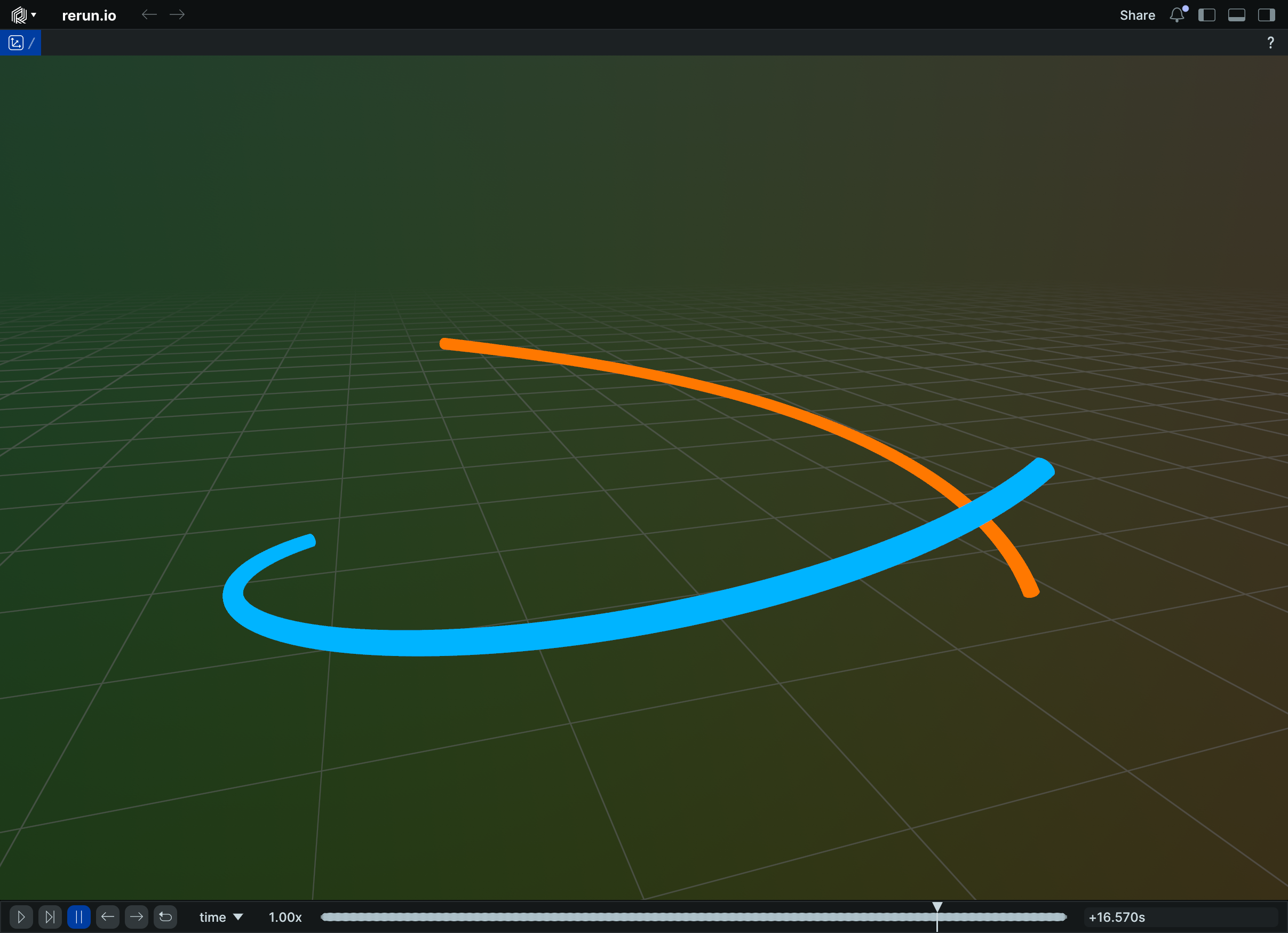
__init__
def __init__(
    timeline: Utf8Like,
    range: TimeRangeLike | None = None,
    *,
    start: TimeRangeBoundary | None = None,
    end: TimeRangeBoundary | None = None,
) -> None
Create a new instance of the VisibleTimeRange datatype.
| PARAMETER | DESCRIPTION |
|---|---|
timeline
|
Name of the timeline this applies to.
TYPE:
|
range
|
Time range to use for this timeline.
TYPE:
|
start
|
Low time boundary for sequence timeline. Specify this instead of
TYPE:
|
end
|
High time boundary for sequence timeline. Specify this instead of
TYPE:
|
VisibleTimeRanges
Bases: VisibleTimeRangesExt, Archetype
Archetype: Configures what range of each timeline is shown on a view.
Whenever no visual time range applies, queries are done with "latest-at" semantics. This means that the view will, starting from the time cursor position, query the latest data available for each component type.
The default visual time range depends on the type of view this property applies to: - For time series and state timeline views, the default is to show the entire timeline. - For any other view, the default is to apply latest-at semantics.
⚠️ This type is unstable and may change significantly in a way that the data won't be backwards compatible.
__init__
def __init__(ranges: VisibleTimeRangeArrayLike) -> None
def __init__(
    *, timeline: Utf8Like, range: TimeRangeLike
) -> None
def __init__(
    *,
    timeline: Utf8Like,
    start: TimeRangeBoundary,
    end: TimeRangeBoundary,
) -> None
def __init__(
    ranges: VisibleTimeRangeArrayLike | None = None,
    *,
    timeline: Utf8Like | None = None,
    range: TimeRangeLike | None = None,
    start: TimeRangeBoundary | None = None,
    end: TimeRangeBoundary | None = None,
) -> None
Create a new instance of the VisibleTimeRanges archetype.
Either from a list of VisibleTimeRange objects, or from a single timeline-name plus either range or start & end.
| PARAMETER | DESCRIPTION |
|---|---|
ranges
|
The time ranges to show for each timeline unless specified otherwise on a per-entity basis. If a timeline is listed twice, a warning will be issued and the first entry will be used.
TYPE:
|
timeline
|
The name of the timeline to show.
Mutually exclusive with
TYPE:
|
range
|
The range of the timeline to show.
Requires
TYPE:
|
start
|
The start of the timeline to show.
Requires
TYPE:
|
end
|
The end of the timeline to show.
Requires
TYPE:
|
from_fields
classmethod
def from_fields(
    *,
    clear_unset: bool = False,
    ranges: VisibleTimeRangeArrayLike | None = None,
) -> VisibleTimeRanges
Update only some specific fields of a VisibleTimeRanges.
| PARAMETER | DESCRIPTION |
|---|---|
clear_unset
|
If true, all unspecified fields will be explicitly cleared.
TYPE:
|
ranges
|
The time ranges to show for each timeline unless specified otherwise on a per-entity basis. If a timeline is specified more than once, the first entry will be used.
TYPE:
|
VisualBounds2D
Bases: VisualBounds2DExt, Archetype
Archetype: Controls the visual bounds of a 2D view.
Everything within these bounds are guaranteed to be visible. Somethings outside of these bounds may also be visible due to letterboxing.
If no visual bounds are set, it will be determined automatically, based on the bounding-box of the data or other camera information present in the view.
⚠️ This type is unstable and may change significantly in a way that the data won't be backwards compatible.
__init__
def __init__(
    *,
    x_range: Range1DLike | None = None,
    y_range: Range1DLike | None = None,
) -> None
Create a new instance of the VisualBounds2D archetype.
| PARAMETER | DESCRIPTION |
|---|---|
x_range
|
The minimum visible range of the X-axis (usually left and right bounds).
TYPE:
|
y_range
|
The minimum visible range of the Y-axis (usually left and right bounds).
TYPE:
|
from_fields
classmethod
def from_fields(
    *,
    clear_unset: bool = False,
    range: Range2DLike | None = None,
) -> VisualBounds2D
Update only some specific fields of a VisualBounds2D.
| PARAMETER | DESCRIPTION |
|---|---|
clear_unset
|
If true, all unspecified fields will be explicitly cleared.
TYPE:
|
range
|
Controls the visible range of a 2D view. Use this to control pan & zoom of the view.
TYPE:
|
VisualizableArchetype
Bases: Protocol
Protocol for archetypes that can be visualized.
visualizer
def visualizer(*args: Any, **kwargs: Any) -> Visualizer
Creates a visualizer from this archetype.
Visualizer
Class for visualizer configuration.
Visualizers can now be created directly from archetype classes. This class wraps an archetype instance for use in view overrides.
__init__
def __init__(
    visualizer_type: str,
    *,
    overrides: list[DescribedComponentBatch] | None = None,
    mappings: list[VisualizerComponentMappingLike]
    | None = None,
) -> None
Create a visualizer from an archetype instance.
| PARAMETER | DESCRIPTION |
|---|---|
visualizer_type
|
The type name of the visualizer.
TYPE:
|
overrides
|
Any component overrides to apply to fields of the visualizer.
TYPE:
|
mappings
|
Optional component name mappings to determine how components are sourced. ⚠️TODO(#12600): The API for component mappings is still evolving, so this may change in the future.
TYPE:
|